Categories: AI Video, AI Image, Creator Guides
Tags: videoany, ai video, ai video generator, ai content creation, creator guide
Introduction
Modern AI video workflows are most effective when they provide a clear, repeatable structure for production. By moving beyond simple generation and into intentional editing, creators can use tools like VideoAny to refine their visual storytelling. This guide explores how to integrate video-to-video AI into your pipeline, focusing on planning, generation, and final polish.
Understanding Video-to-Video AI
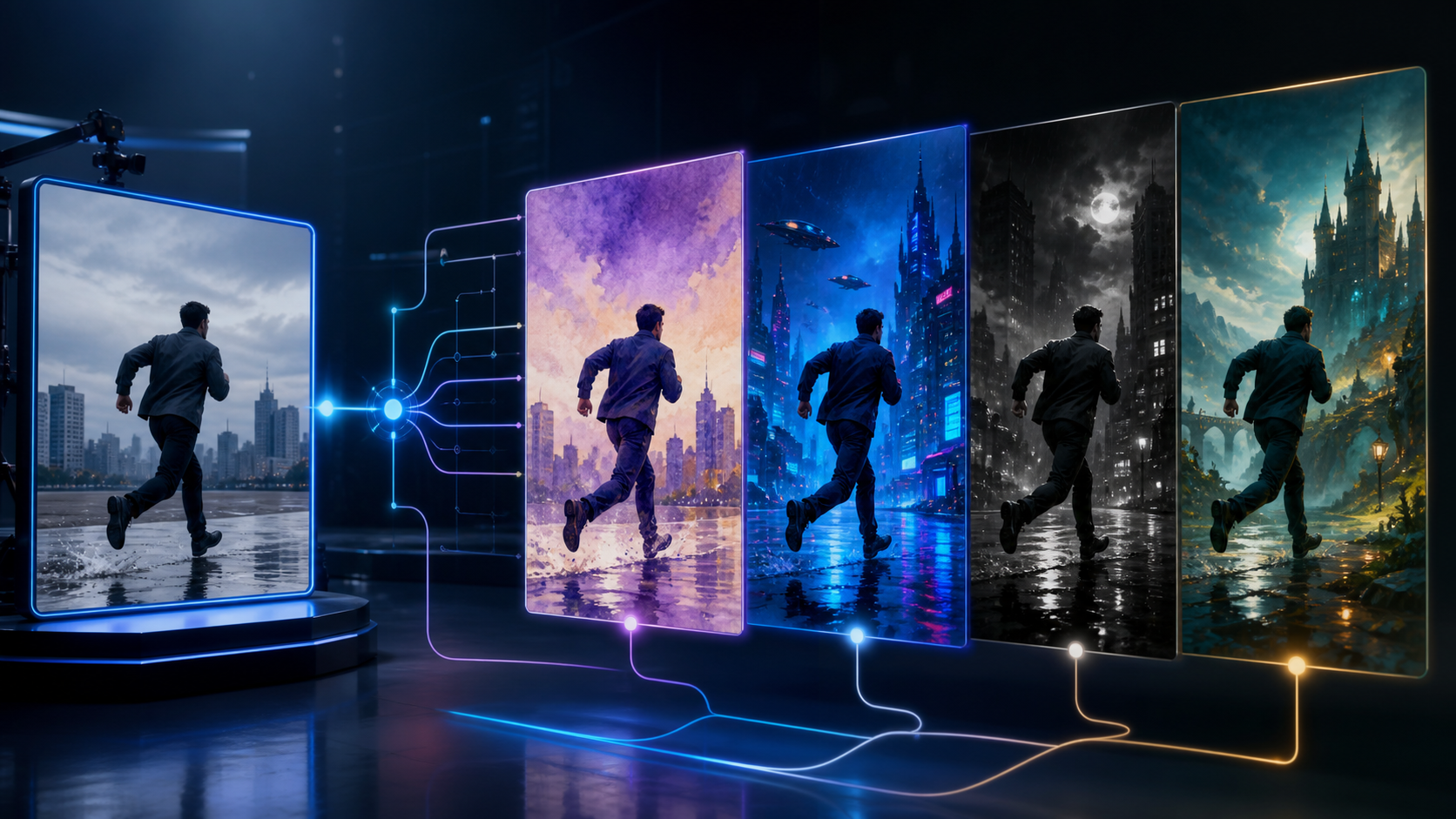
Video-to-video generation allows creators to take existing source footage and apply new aesthetic styles, textures, or visual elements while maintaining the underlying motion and composition of the original clip.

This technology is particularly useful for:
- Stylization: Converting realistic footage into animation, oil painting, or cinematic styles.
- Visual Enhancement: Adding consistent textures or lighting effects across a sequence.
- Creative Iteration: Rapidly testing different visual directions for a single performance or scene.
How the Workflow Works
Integrating AI into your production requires a systematic approach. Rather than relying on a single "generate" button, successful creators treat the process as a series of iterative steps.

- Define the Outcome: Determine the intended style and purpose of the video before starting.
- Prepare Source Assets: Ensure your source video is clear and well-lit, as the AI will use the original motion as a reference for the new output.
- Iterative Generation: Start with short test clips to refine your prompts and settings before committing to a full-length render.
- Review and Refine: Evaluate the output for continuity, pacing, and visual clarity.
Responsible and Ethical Creation
When using AI to generate content, it is essential to prioritize consent and ethical standards. Whether you are working with stylized avatars or transforming human performances, ensure that all source material is used with proper authorization. Creators should always operate within the bounds of applicable laws and respect the rights of others, ensuring that AI-assisted media is produced responsibly and transparently.
Production Checkpoints
To maintain high quality, treat your project as a series of production checkpoints:
- Input Quality: Does the source footage provide enough detail for the AI to interpret correctly?
- Prompt Precision: Are your style descriptors specific enough to achieve the desired aesthetic?
- Continuity: Does the style remain consistent across different cuts or scenes?
- Final Polish: Does the video communicate the intended message without requiring external explanation?
Practical Weekly Workflow
- Define the Goal: Identify if you are creating a social post, a short story scene, or a visual experiment.
- Gather Inputs: Collect your reference footage, style prompts, and any necessary audio or music.
- Small-Batch Generation: Generate in short segments to maintain control over the output.
- Review: Check for visual artifacts or pacing issues.
- Archive: Save your successful prompts and settings for future consistency.
Conclusion
AI-assisted video production is strongest when treated as a repeatable system. By focusing on clear inputs and controlled iteration, you can turn raw footage into professional-grade content.
Explore the full suite of tools at VideoAny to start building your own creative workflow.
FAQs
1) Can this workflow work for a solo creator? Yes. By keeping your asset list small and focusing on a repeatable format, you can maintain high production standards as a solo creator.
2) Should I generate first or write the edit plan first? Always write a plan first. A clear outline helps you judge whether the AI output aligns with your narrative goals.
3) What should I check before publishing an AI video? Check for motion quality, visual continuity, aspect ratio, and whether the final output effectively communicates your intended idea.
4) How does VideoAny fit into this workflow? Use VideoAny for visual generation and stylization, then combine the resulting clips with your preferred editing, audio, and formatting tools.