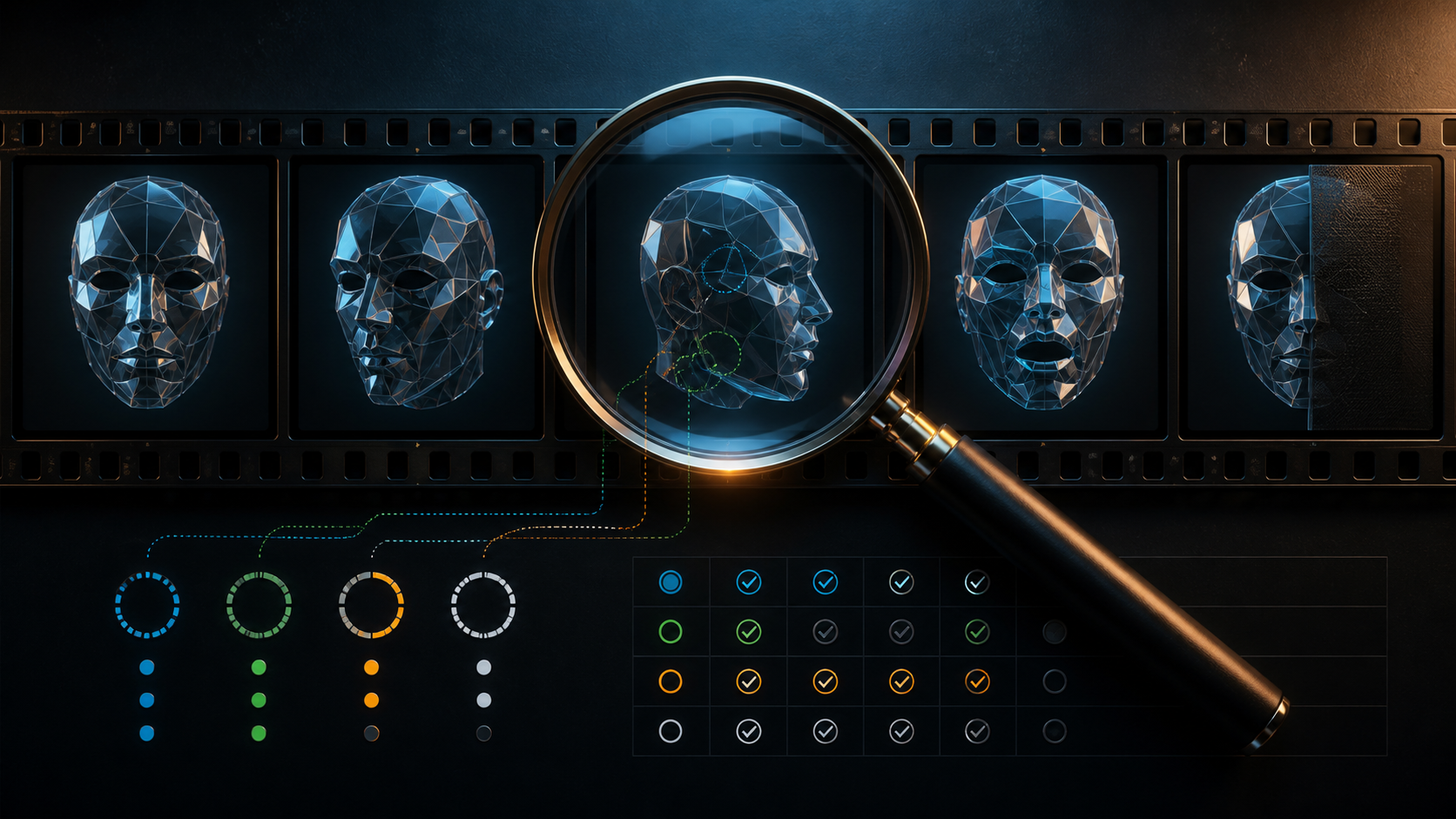
“Realistic face swap AI” is often treated as a model label. Realism is better treated as a review result. A composite can look convincing in one thumbnail and fail during a blink, profile turn, hand crossing, lighting change, or cut. It can also look technically polished while falsely implying that someone performed, said, or endorsed something.
No tool can promise that every source face will blend seamlessly into every video. Source-target compatibility, face scale, focus, pose, expression, occlusion, motion blur, compression, and scene meaning all matter. A professional workflow therefore needs measurable acceptance criteria, not a claim that the output is “indistinguishable.”
This guide turns the familiar face-swap workflow into a ten-part scorecard. It also states the current VideoAny input, control, and credit boundaries so the evaluation is based on the tool that exists—not an imagined set of strength, region, aspect-ratio, or resolution settings.
Responsible-use baseline: Use only your own identity or a clearly adult person who explicitly authorized the source image, target footage, scene, distribution, and synthetic transformation. Never involve minors or age-ambiguous people, create non-consensual intimate media, use an unauthorized likeness, fabricate endorsements or conduct, or impersonate anyone deceptively.
What “realistic” should mean
A result is not realistic merely because the face is recognizable. It needs several kinds of coherence.
Spatial coherence
Facial features should sit on the target head with plausible scale, perspective, and alignment. The eyes should follow the head plane. The mouth should not float. The jaw and cheek should move with the target rather than forming a separate layer.
Photometric coherence
Color, exposure, shadow direction, highlight shape, sharpness, grain, and compression should respond to the target scene. A bright source face pasted into a dark, warm scene will feel detached even when landmarks align.
Temporal coherence
Identity and edges should remain stable from frame to frame. A face that changes age, proportions, texture, or resemblance during motion is not a realistic video result, even if paused frames look strong.
Semantic coherence
The visual identity, body performance, dialogue, context, and disclosure must tell an honest story. A technically convincing swap that fabricates a statement or intimate participation is not publishable.
Rights coherence
Both the source identity and target performance need documented authorization for the final use. Realism increases the risk of viewer confusion; it does not reduce the need for consent.
Current VideoAny face-swap facts
The VideoAny Face Swap studio provides video, photo, and GIF modes. A current job accepts one target media item and one source face image.
- Source face: JPEG, PNG, or WebP, currently up to 10MB.
- Photo target: JPEG, PNG, or WebP, currently up to 10MB.
- Video/GIF target: MP4, WebM, MOV/QuickTime, or GIF, currently up to 50MB.
- Mapping: one source face to the first detected target in the public request.
- Current displayed credits: 5 per photo item; 30 per video or GIF item.
The public swap interface does not expose a prompt, multiple source faces, target selector, region masks, swap intensity, aspect ratio, output resolution, frame rate, duration, or fine-tuning control. It also does not state a universal maximum duration. The explicit target limit is file size; provider processing and practical quality can still vary.
Treat the live interface as authoritative because formats, limits, and credits can change. Review current credit options before a batch.
Prepare a realistic test, not an easy demo
Clear the identity transfer
Document who appears in the source photo, who performs in the target, who owns both files, what the audio says, which scene is being created, where it will appear, and who approves the final edit. Mature context requires specific consent from verifiably adult participants.
Select a compatible source portrait
Use a sharp, clearly adult portrait with visible eyes, mouth, jaw, and hairline. Match the target’s dominant angle and lighting direction. Avoid beauty filters, heavy compression, extreme expression, blocked features, or a crop that removes facial boundaries.
Choose a stress-test target
A straight-on, evenly lit, motionless clip tells you little. Select a short authorized segment that includes the hardest real production condition:
- a three-quarter or profile turn;
- a blink or broad expression;
- speech or visible teeth;
- a hand, hair, glasses, or prop crossing the face;
- a strong shadow or colored-light transition;
- camera or subject motion;
- a cut or scale change.
Start with the most demanding representative moment. Passing that test provides more evidence than spending credits on a long easy shot.
The five-step realism workflow
Step 1: Define a pass standard
Before uploading, set the intended audience, screen size, playback context, and risk. A deliberately stylized private previs can tolerate different artifacts than a photorealistic paid advertisement. Decide which scorecard dimensions are hard stops.
Step 2: Upload one authorized target and source
Use the listed public formats and file limits. Ensure the intended performer is the first and only practical target; the current route has no target selector. Keep original licensed files separate from minimized working copies.
Step 3: Generate the shortest representative test
There is no swap prompt or quality slider in the current route. Do not describe adjacent text-to-video prompts as face-swap settings. Generate once with the best-matched source and target pair.
Step 4: Review at three speeds
Watch once at normal speed for overall perception, once at half speed for temporal instability, and once frame by frame at marked stress points. Listen with audio, then mute it to isolate visual judgment.
Step 5: Diagnose, retry, or reject
Tie every retry to a cause. Change the source angle for identity drift, the target shot for occlusion failure, or the concept for an authorization failure. Do not keep rerunning the same sensitive inputs without a hypothesis.
The ten-part frame-by-frame scorecard
Score each dimension from 0 to 3:
- 0 — Fail: harmful, unauthorized, wrong target, or unusable defect.
- 1 — Weak: frequent or prominent failure.
- 2 — Conditional: minor defects acceptable only for the defined context.
- 3 — Pass: stable for the intended use after full review.
Authorization and target identity are hard gates. Any zero there rejects the output regardless of total score.
1. Authorization and adult-status clarity
Pass evidence: Source identity and target performer are clearly adult; both approved synthetic use, exact context, and distribution; underlying media and audio are licensed.
Fail signals: public photo without license, vague permission, former partner, private individual, celebrity, minor, uncertain age, unauthorized intimate context, fabricated statement, or missing target-performer consent.
2. Correct target and identity
Pass evidence: The intended first target receives the authorized source identity consistently; no background person, reflection, screen, poster, or second performer is altered.
Fail signals: wrong person affected, resemblance changes, identity jumps between people, or output resembles an unauthorized third person. The current public route has no selector; choose a solo shot or another verified method if mapping is wrong.
3. Landmark geometry
Inspect eyes, brows, nose, lips, chin, and jaw at front, three-quarter, and profile frames.
Pass evidence: Features follow the target head plane and scale; pupils and mouth remain placed plausibly.
Fail signals: crossed or drifting eyes, floating mouth, doubled nose, sliding jaw, sudden face-size changes, or profile collapse.
4. Boundary integration
Inspect hairline, temples, ears, jaw, facial hair, glasses, and neck transition.
Pass evidence: Boundaries stay attached during motion without a visible cutout halo.
Fail signals: flickering outline, missing ears, beard popping, glasses merging into skin, duplicated hair, or a pasted-on oval.
5. Lighting and texture
Compare shadow direction, highlight position, color temperature, grain, sharpness, and compression.
Pass evidence: The face responds to the target light and camera texture.
Fail signals: constant source lighting, waxy patch, mismatched noise, sudden hue change, or sharper facial detail than the surrounding frame.
6. Expression and mouth behavior
Review blinks, smiles, frowns, speech, open mouth, and visible teeth.
Pass evidence: Expression timing follows the target without changing identity.
Fail signals: frozen features, asymmetric blink artifacts, invented or duplicated teeth, lip tearing, or emotion that no longer matches body language.
7. Occlusion and interaction
Check when hands, hair, microphones, glasses, smoke, fabric, food, or other faces pass in front.
Pass evidence: Foreground objects remain in front and the identity returns cleanly.
Fail signals: the face paints over a hand, an object disappears, the edge dissolves, or the identity resets after occlusion.
8. Temporal continuity
Compare first, middle, and last frames plus every cut, rotation, focus change, and scale change.
Pass evidence: Proportions, age presentation, texture, and resemblance remain stable over time.
Fail signals: shimmer, pulsing, age shifts, identity morphing, single-frame flashes, or degradation near the end.
9. Audio and contextual meaning
Read the target dialogue and surrounding scene as though the source person performed it.
Pass evidence: The adult source person specifically approved the attributed action, dialogue, tone, product, and audience; disclosure prevents reasonable confusion.
Fail signals: false endorsement, confession, crime, political speech, intimate participation, health or financial claim, harassment, or a clip designed to be mistaken for authentic footage.
10. Downloaded output properties
Inspect the actual file, not a preview assumption.
Pass evidence: Resolution, aspect ratio, duration, frame rate, codec, container, audio, and playback work for the delivery channel.
Fail signals: unexpected crop, missing or shifted audio, changed duration, corrupt playback, unsuitable resolution, or a container the editor cannot handle. The swap route does not expose output-format guarantees.
Record the review
Use one row per stress point:
| Timecode | Event | Dimensions checked | Score | Decision | Fix |
|---|---|---|---|---|---|
| 00:00 | Frontal entry | Identity, geometry, light | 3/3/3 | Pass | — |
| 00:02 | Hand crosses cheek | Boundary, occlusion, continuity | 1/0/1 | Reject | Choose another target shot |
| 00:04 | Profile plus dialogue | Geometry, identity, meaning | 2/3/3 | Conditional | Review at delivery size |
Store the review with source licenses, releases, asset IDs, output, reviewer, approval, disclosure copy, and publication destination. A total score without timecodes is not enough; one severe frame can carry more risk than a strong average.
Three creative scenes as stress tests
Creative examples often emphasize style or aspect ratio rather than face-swap quality. Reframe them as target-footage diagnostics.
Colored gothic close-up
A close portrait under purple ambient light stresses color adaptation, shadow direction, eye detail, and hairline edges. The target footage—not the swap route—determines the existing frame shape.
Two-person action scene
An arm-wrestling or similarly interactive shot stresses hands near faces, shared shadows, muscle and head movement, and wrong-target detection. VideoAny’s current first-target mapping is not a multi-face control; use a solo angle or verified multi-mapping workflow.
Firelit fantasy close-up
Flickering warm light, tattoos, makeup, and facial accessories stress texture, illumination, and identity stability. Ensure the source identity and target performer approved the character and context.
These scenes can reveal failure modes, but a fantastical prompt elsewhere does not prove a dedicated swap’s realism.
Responsible use cases
Licensed narrative inserts
Use contracted adult performers and a shot-specific approval plan for an authorized character variation. Keep the final performer in the review loop.
Self-avatar content
Creators can use their own face in rights-cleared footage for a stylized intro, sketch, or test. They should still consider how a realistic clip could be reposted without its original caption.
Marketing with approved talent
Use explicit commercial and synthetic-media releases. Never create an unapproved testimonial or imply that a public figure or stock model endorses the product.
Film previs and VFX tests
Watermarked, access-controlled tests can help a production assess a shot before conventional editing or reshooting. A test output does not expand the underlying license.
Mature fictional work
Only clearly adult, consenting participants and licensed assets belong in mature contexts. Permission must cover the intimate depiction itself. Exclude minors, uncertain age, coercion, voyeurism, and unauthorized real-person identities completely.
Pricing and realistic production budgets
The current VideoAny interface uses fixed displayed credits per face-swap item, not the per-second pricing sometimes described by other services. Budget beyond generation: source licensing, performer compensation, test shots, failed composites, editing, audio review, disclosure, legal review, storage, and approvals all affect production cost.
Paying credits does not grant rights to a face, performance, soundtrack, clip, trademark, or distribution channel.
Compare “realistic” tools with evidence
| Claim to test | Evidence to collect |
|---|---|
| “Seamless” | Full-resolution target tests with turns and occlusions |
| “Any face” | Published input limits plus authorized varied tests—not scraped identities |
| “1080p” | Downloaded file inspection for the actual active route |
| “Multiple targets” | Visible per-person mapping controls in the live product |
| “Private” | Current privacy terms, storage behavior, processors, retention, and deletion controls |
| “Commercial use” | Tool terms plus all source and target rights |
A polished landing-page still is not a benchmark. Evaluate the exact route, inputs, provider behavior, and delivery requirements you will use.
FAQ
Is VideoAny face swap uncensored?
VideoAny supports creative work within its content policy. “Unrestricted” does not permit illegal, non-consensual, minor-related, deceptive, harassing, or unauthorized identity use.
How realistic can a face swap be?
Quality varies with the source portrait, target footage, pose, light, expression, scale, occlusion, motion, and compression. No result should be called realistic until it passes the full timeline scorecard.
What is the best source face image?
A licensed, clearly adult portrait with explicit synthetic-use consent, sharp features, visible boundaries, even light, and an angle close to the target’s dominant pose.
Can I upload my own video?
Yes, when you own or license it and every depicted person authorized the transformation. Use the current public formats and 50MB target limit shown in the live interface.
Is there a maximum face-swap video length?
The current interface publishes a 50MB input limit but no universal maximum duration control. Codec, bitrate, dimensions, provider processing, and practical quality affect what a file represents. Verify the live picker and test a short segment first.
How are face-swap jobs charged?
The current display shows 5 credits for photo and 30 for video or GIF per item. Check the live interface before generating because credits can change.
Realism is a verdict, not a promise
A realistic face swap is the result of compatible authorized inputs, observable tool controls, frame-by-frame inspection, contextual approval, and honest disclosure. It is not guaranteed by a model name, a single attractive frame, or the absence of a visible error at normal speed.
Score all ten dimensions, reject any authorization or target-identity failure, and keep the review evidence. If a clip cannot pass, improve the inputs, choose another shot, use conventional VFX, or change the concept.