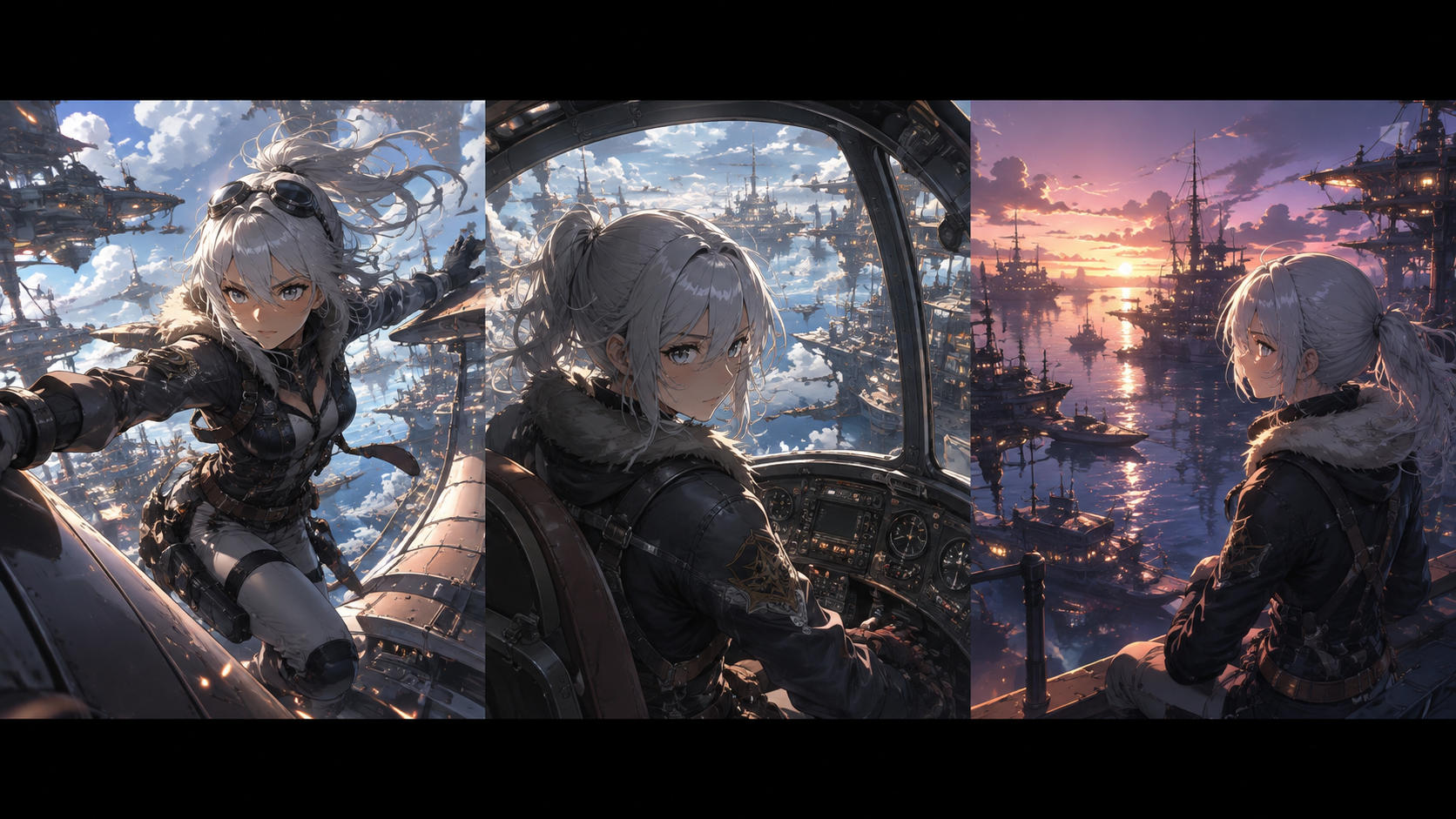
The question of "which AI video model is superior?" often depends entirely on the specific task at hand. A detailed character close-up, a dynamic action sequence, or a sweeping environmental shot each demand different strengths from a generative AI tool. An impressive clip in isolation might not be the right asset for a particular sequence within a larger narrative.
In 2026, models like Kling 3.0, Seedance 2.0, and Veo 3.1 offer advanced capabilities for anime video production. These tools can animate reference images, interpret cinematic instructions, generate synchronized audio, and create scenes that previously required extensive traditional production. However, they don't all excel at the same problems. A comparison needs to consider dimensions such as character identity, stylized movement, reference handling, camera direction, sound integration, and continuity across multiple clips. This guide outlines a practical, shot-based evaluation framework you can adapt to test available models and interfaces with your own creative material.
To illustrate, we'll plan a short sequence featuring Seli, a fictional silver-haired pilot. She carries a glass navigation prism across a floating harbor, and the scene culminates when the prism reacts to a departing airship. We will design three distinct shots for this sequence and define the specific criteria that would justify selecting a particular AI model for each.
Moving Beyond Generic Claims: Verifying Model Capabilities
The landscape of AI video generation is rapidly evolving, with new models and features announced regularly. It's crucial to distinguish between vendor-described capabilities and independently verified performance within your specific workflow.
For instance, Kuaishou's Kling Video 3.0 is documented to support image-to-video generation and element references, with controls that vary by implementation. Its official guides also describe multi-shot controls and native audio. These features are significant for directing complex sequences. However, these are vendor claims; your actual access route and specific version may expose different controls or yield varying results. Always consult the official Kling 3.0 guide to understand its documented features.
ByteDance describes Seedance 2.0 as a multimodal collaborator, accepting text, images, audio, and video as inputs for reference-guided video generation. This flexibility suggests it can integrate diverse creative materials into a unified output. While this makes reference preparation a key part of any comparison, it doesn't automatically guarantee superior results for every project. Review the official Seedance 2.0 page to understand its multimodal capabilities.
Google's Veo 3.1 is described in its documentation as supporting native-audio video generation with extension and frame/image direction. This indicates a focus on cinematic quality and environmental realism. When evaluating Veo, consider how its strengths align with your desired anime style and shot requirements. The official Veo overview provides the appropriate starting point for its product facts.
When conducting your own tests, always record the precise model version, the input method, and the specific controls you used. This helps ensure that your findings are reproducible and accurately reflect the model's behavior in your environment, rather than relying on generalized marketing statements.
Designing Shots to Highlight Model Strengths
To effectively compare AI video models, it's beneficial to design a sequence of shots that each present unique challenges and leverage different model capabilities. For Seli's story, we'll create three distinct shots:
- Harbor Establishing View: This wide shot establishes the setting and the airship's departure.
- Prism Removal Medium Shot: A medium shot focusing on Seli's interaction with the navigation prism.
- Recognition Close-up: A close-up on Seli's face as the prism reacts, capturing her expression.
The goal isn't to create an overly complex spectacle, but to expose the practical requirements you'd encounter in a real editing workflow. Each shot should have clear acceptance conditions and potential reasons for rejection:
| Planned Shot | Primary Acceptance Condition | Secondary Observation | A Reason to Reject |
|---|---|---|---|
| Harbor Establishing View | The airship's departure route is clear and understandable. | Background motion (clouds, water) supports the scene's scale. | The airship changes direction illogically or disappears. |
| Prism Removal Medium Shot | Seli's hand, the case, and the prism maintain a readable relationship. | Camera movement enhances visibility of the action. | The prism appears to pass through the closed case or hand. |
| Recognition Close-up | Seli remains recognizable, and the prism's reaction is clear. | Line work and facial expression match the approved anime style. | Surface realism or excessive motion distorts the character design. |
These conditions are editorial choices for our invented scene. It's important to define them before reviewing any generated content. This prevents an aesthetically pleasing but functionally incorrect result from subtly redefining your original assignment.
Crafting Reference Materials for Consistent Results
Effective use of reference materials is paramount for achieving consistent results in AI video generation, especially for recurring characters or specific visual styles. Your approach to references should involve two stages: a common baseline and a separate experiment for richer inputs.
1. The Common Baseline: For the initial test, provide each accessible AI model with the same approved still image of your character (Seli) and a consistent description of the intended event. Use only the input types that each model's interface explicitly supports. Maintain comparable framing and story purpose across all generations. Document any unavoidable differences in input methods or available controls, rather than assuming identical setups. This baseline helps you understand each model's fundamental interpretation of your core character and scene.
2. The Rich Reference Experiment: Next, create a more elaborate reference package to test each model's ability to handle multimodal inputs. Assign a clear, singular job to each asset to avoid conflicting instructions:
- Character Sheet: A detailed illustration defining Seli's appearance, costume, and key features.
- Environment Illustration: A visual guide for the floating harbor's layout and aesthetic.
- Motion Reference: A short, self-recorded video demonstrating the desired action of removing the prism from its case.
- Audio Guide: An authorized audio clip establishing a specific sound cue for the prism's reaction.
Ethical Considerations for Reference Use: It is critical to use reference materials responsibly. Users must ensure they have the necessary rights or licenses for any reference material, especially when it involves recognizable individuals, copyrighted characters, or proprietary designs. Respecting intellectual property and consent is crucial for responsible AI content creation. Do not use copyrighted material without permission, and never assume that a model's ability to imitate a style or character grants you the right to publish such an imitation.
Avoiding Conflicting References: Crucially, do not combine contradictory references. If your character sheet shows Seli in a cream flight jacket, but your motion reference video features a performer in a dark coat, clearly specify that the video illustrates movement only. Better yet, simplify or replace ambiguous material before investing time and resources in generations that might be confused by conflicting visual cues. This separation allows you to distinguish how each model handles a basic input versus how it leverages a more comprehensive, but carefully curated, reference package.
Writing Prompts for Actionable Evaluation
The way you phrase your prompts directly impacts your ability to evaluate the generated output. Prompts should be specific, actionable, and connect to the desired outcome of the shot within the larger narrative.
Consider this adaptable brief for Seli's medium shot:
"Seli stands beside the railing of a floating harbor. She opens a small, ornate navigation case and carefully lifts a glowing glass prism, ensuring its full triangular shape is visible against the sky. Use the supplied character design and harbor layout. Maintain a medium framing that clearly shows the action. Preserve the illustrated line work, flat cel shading, and the prism's distinct silhouette. The shot must end with the object held still enough to seamlessly transition to a closer view."
Notice how this prompt defines the character, action, framing, visual style, and, critically, the ending condition. The ending condition is vital because this shot must connect to the subsequent close-up. A visually stunning generation where the prism is obscured or moving erratically at the end of the clip, even if the motion is otherwise convincing, would be a poor fit for the sequence.
If a generation fails to meet expectations, resist the urge to immediately conclude that the model is incapable of animating anime. First, inspect your prompt and references. Did you inadvertently ask for hidden geometry (e.g., the prism appearing through a closed case)? Were there conflicting references? Did you use an unsupported input type for that specific model version? Identify and address one issue at a time, documenting each revision, before making a broader judgment about the model's limitations. This iterative refinement process is key to understanding and optimizing your interaction with AI generation tools.
Independent Assessment of Style and Audio
To achieve a cohesive anime production, it's essential to evaluate visual style and audio quality independently, rather than as a single, undifferentiated "polish" factor.
Visual Style Checklist: Create a specific checklist for your desired anime style. Generic terms like "cinematic" are too broad. Instead, focus on concrete elements:
- Outline Weight: Are character and object outlines consistent and appropriate (e.g., thin, bold, variable)?
- Color Treatment: Is the coloring flat, gradient, or textured? Does it match your approved palette?
- Degree of Texture: Is the scene smooth and cel-shaded, or does it introduce unwanted photorealistic textures?
- Expression Restraint: Does the character's facial animation align with typical anime conventions (e.g., subtle movements, held expressions)?
- Motion in Quiet Areas: Are background elements or static parts of the character unnecessarily animated?
For Seli, the prism might need to appear luminous without acquiring a photorealistic surface that clashes with the overall cel-shaded aesthetic. Judge the character and objects against your approved visual language, not against a general preference for richer detail or realism.
Audio Evaluation: Assess audio separately from picture quality.
- Generated Audio: If the workflow generates sound, check the timing of specific events, such as the case opening or the prism's reaction cue. Does it align with the visuals?
- Master Audio: If you have a pre-selected recording, dialogue track, or music master, preserve that master audio. Evaluate how the visual sequence can be edited around it. Do not replace an approved track simply because a generated alternative is convenient; the goal is integration, not substitution.
Models like Seedance 2.0 emphasize joint audio-video generation, which can be useful when sound is an integral part of the generation process. Veo 3.1 is noted for its environmental sound capabilities. However, even with native audio generation, editing is almost always required to ensure the final soundscape aligns with your creative vision and any pre-existing audio assets.
Scoring and Integrating into a Production Workflow
To make your evaluation actionable, adopt a clear scoring system for each acceptance condition:
- Accepted: The generation meets the condition without further work.
- Repairable: The generation mostly meets the condition, but requires minor editing or a slight re-prompt to fix a specific issue. Document the repair needed.
- Rejected: The generation fundamentally fails the condition and cannot be easily salvaged.
Avoid subjective numerical scores that might allow an attractive but functionally flawed generation to pass. Instead, focus on whether the asset is usable for your production.
Track the cost of obtaining an accepted asset, including any rejected attempts and the actual editing work performed. This provides a realistic understanding of the effort involved. If you only have one attempt from a particular model, label your conclusion as provisional.
A neutral production workflow allows you to combine different accepted shots from various models while maintaining a consistent reference packet and an overarching editing plan. For instance, you might use a model strong in multi-shot storytelling for an action sequence, another for detailed character interactions, and a third for cinematic establishing shots.
You can explore various models and their capabilities through resources like the VideoAny model directory. When considering any integration, always verify the current availability of specific models and controls within your chosen platform. For tasks like generating visual assets from images or prompts, VideoAny offers image-to-video workflows. If your project involves dialogue, consider tools for lip-sync to ensure character speech aligns naturally with audio.
The ultimate test is the assembled sequence. Watch the full Seli animation without knowing which model generated which shot. Do Seli, the prism, the airship's departure, and the sound cues feel like they belong to the same event? Choose the assets that pass this story-level check. The result might be a sequence entirely from one model, a carefully integrated mix of several, or even a revised shot plan based on what you've learned about each tool's strengths and limitations.
By adopting a methodical, shot-based comparison, you move beyond generic "best" claims and gain a practical understanding of how different AI video models can contribute to your anime production workflow.