
Categories: AI Video Workflow, Creator Strategy, Social Media Growth
Tags: videoany, ai creation studio, ai video workflow, news content, creator toolkit
Introduction
News-style video content works because it combines urgency, structure, and authority in a format people already recognize. Even when the topic is not literal breaking news, the visual language of a newsroom instantly signals importance. That makes it useful for daily updates, educational summaries, product explainers, and commentary channels that need a repeatable publishing format.
The source article leans into this idea directly: a digital news presence can be a strong path to authority and follower growth, especially when you can post at high frequency. That logic holds up. If you can turn scripts, article summaries, and fast-turnaround topics into polished presenter-led clips, you get a format that is easier to scale than traditional video production.
On VideoAny, the practical way to do that is not to look for a single "news video generator" button. It is to combine the tools that already exist into a newsroom-style workflow: script planning, avatar-led delivery, prompt-based visuals, and final polish.
What Makes AI News Videos Effective?
AI news videos are useful because they solve three production problems at once:
- They give you a recognizable format for recurring content.
- They reduce the need to appear on camera for every update.
- They make fast publishing more realistic when the topic changes daily.
The source page describes the original tool as an all-in-one suite that turns text into news-style video content with digital presenters and virtual studio environments. That specific feature packaging is not the important takeaway. The important takeaway is the workflow behind it: use scripts, a presenter layer, and broadcast-style framing to make short-form content feel more professional and more trustworthy.
That structure can be applied to:
- Social media news channels
- Product updates and affiliate explainers
- Educational summaries of complex topics
- Fast-turnaround commentary on trending stories
How to Build a News-Style Workflow with VideoAny
If you want to adapt the Pollo method to VideoAny, think in four steps: input, presenter, delivery, and visual packaging. That matches the original article closely while keeping the final result aligned with tools that actually exist in this product.
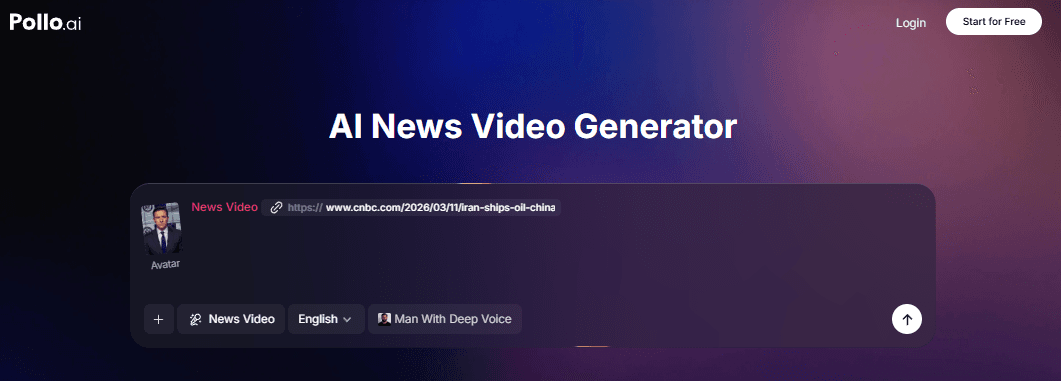
Step 1: Choose Your Input Method
The source article begins with a strong operational point: decide how you want to provide the content. In the original tool, that means either pasting an article URL for summarization or writing your own script. The same strategic decision matters on VideoAny, even if you handle the summarization step yourself first.
In practice, your inputs usually come from one of three places:
- A direct script you already wrote
- A news article or press release you summarized into a short presenter script
- A keyword-led topic that you want to turn into a daily update or explainer
Before you generate anything, tighten the story into a presenter-friendly structure:
- Hook
- Core update
- One or two supporting details
- Closing line or takeaway
This is where Text to Video can help if you need supporting visuals, background plates, B-roll moments, or headline-driven shots to complement the anchor delivery.
Step 2: Select or Create Your Presenter
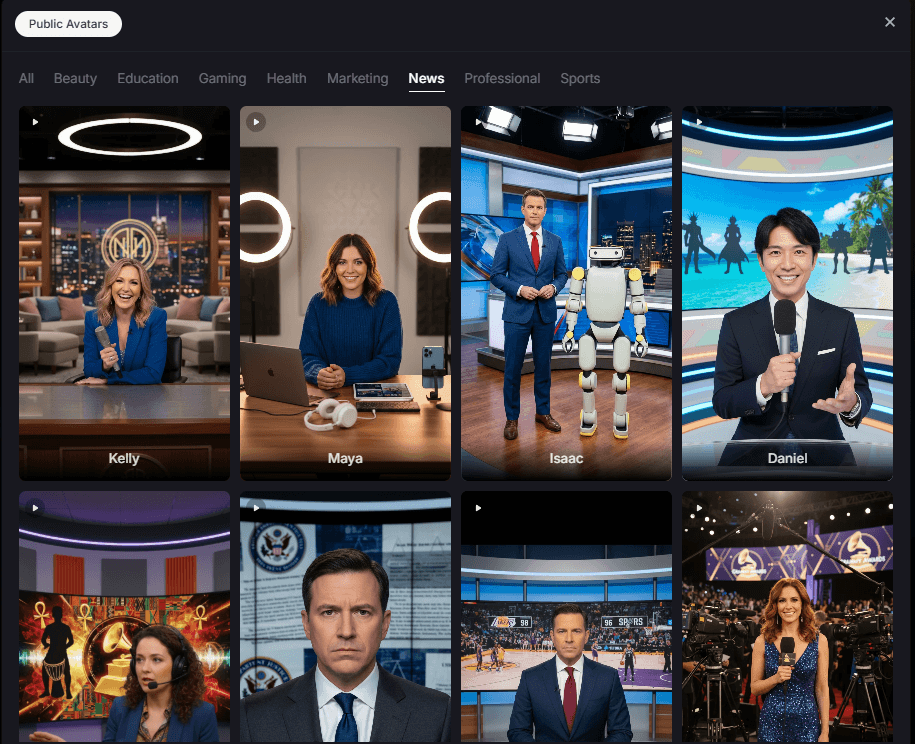
The source article makes the anchor a central part of the format, and that is correct. News-style videos depend heavily on presenter consistency. If the "host" changes every time, the content loses some of the authority and familiarity that make the format effective.
On VideoAny, the closest production path is to use AI Avatar as the presenter layer. That gives you a repeatable on-screen identity without requiring a physical studio or daily talking-head filming.
At this stage, decide:
- Do you want a polished neutral presenter or a more opinionated personality?
- Should the delivery feel like mainstream broadcast news or niche creator commentary?
- Are you building a recurring channel brand or one-off topical clips?
The source article also highlights custom anchor identity as a major feature. That is a useful takeaway even outside the original product. If your news-style account is meant to grow over time, the presenter should feel recognizable across uploads.
Step 3: Customize Language, Voice, and Delivery
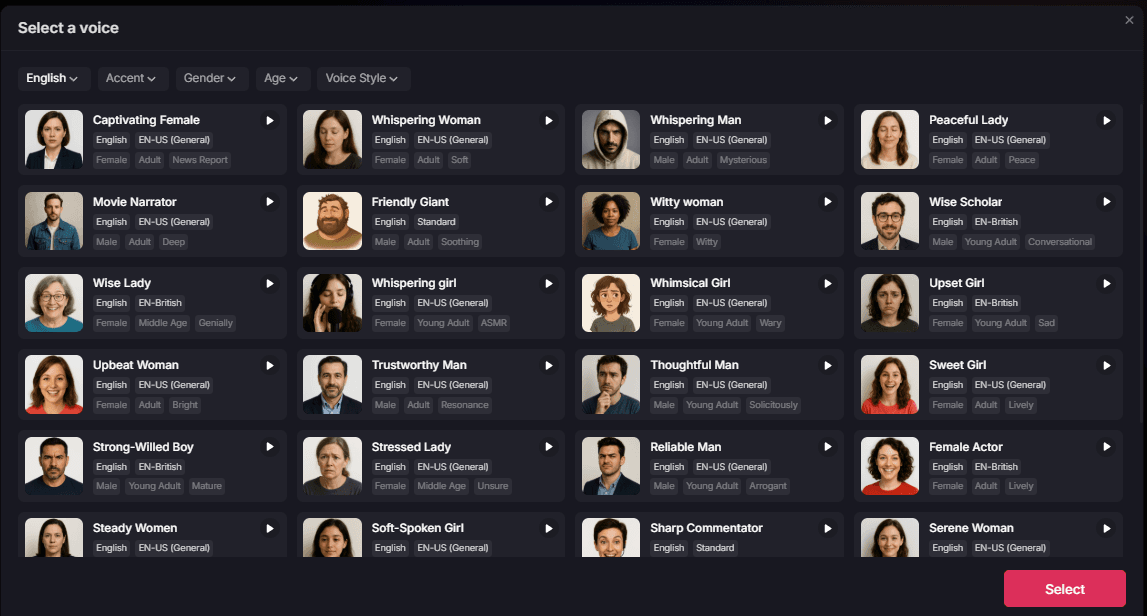
A newsroom format fails quickly if the delivery does not fit the script. The original article emphasizes language and voice selection, including tone, accent, and audience alignment. That point matters because not all "news" content serves the same audience.
Think about the target viewer:
- Global audience needing neutral English delivery
- Regional audience that expects a specific accent or pace
- Educational viewers who need a calm explanatory tone
- Fast-scrolling social users who respond better to sharp, energetic delivery
The important part is not just choosing a voice. It is aligning the voice with the editorial style. A serious geopolitical update, a tech product launch, and a finance recap should not all sound the same.
If you need the visuals to match the anchor delivery more closely, use Image to Video or Text to Video for supporting cutaways, newsroom-like establishing shots, data backdrops, or contextual B-roll.
Step 4: Generate, Review, and Publish
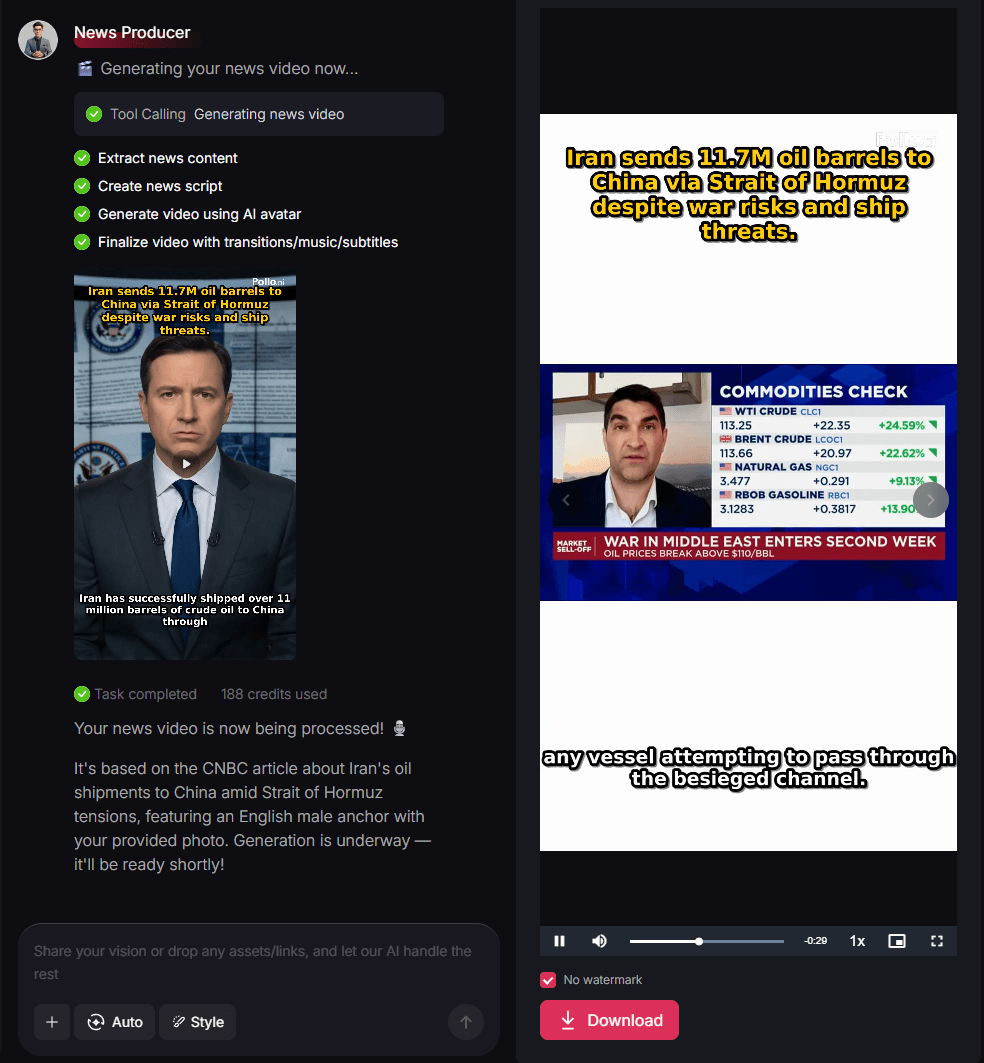
The source article ends the production flow with generation and export, which is right, but the review pass is what separates publishable content from AI slop. Once the first version is ready, evaluate it as a news package:
- Does the script sound tight when spoken out loud?
- Does the presenter feel aligned with the brand?
- Do the visuals reinforce authority or distract from it?
- Is the pacing fast enough for social without becoming rushed?
If the result needs cleaner style consistency, use Video to Video to align the visual language across segments. If the content needs more polish, transitions, or visual emphasis, use Effects as a finishing layer.
The publishing step matters just as much as the render. A strong AI news video should be formatted for the destination:
9:16for Reels, Shorts, and TikTok16:9for YouTube commentary, platform embeds, or editorial pages- Short headline-first captions for social discovery
- Repeatable thumbnail and title logic for recurring uploads
Key Features That Actually Matter
The source page lists several features of the original tool. The most useful way to translate them into a VideoAny workflow is to focus on the production principles behind them.
Presenter Consistency
Whether you use an avatar or a repeatable presenter concept, consistency builds credibility. Viewers are more likely to treat the content like a recurring channel rather than a random clip.
Voice and Audience Fit
Language, accent, and tone are not cosmetic choices. They shape whether the content feels local, global, formal, educational, or entertainment-first.
Fast Script-to-Video Turnaround
One of the strongest ideas in the source article is speed. News-style content wins when it can respond to fresh topics quickly. That means you need a format that turns a script or article summary into a publishable asset without a full editing session each time.
Broadcast-Like Visual Framing
The source article leans on virtual newsroom credibility. In VideoAny terms, that means using presenter framing, visual consistency, and supporting shots that feel deliberate enough to suggest authority without pretending to be a traditional TV network.
Best Use Cases for This Format
The original article gives several use cases, and they are all strong fits:
Social Media News Channels
If your goal is daily topical content, this format gives you structure. The presenter-led style makes recurring uploads easier to brand and easier for viewers to recognize in-feed.
Affiliate and Product Reviews
A news-style presentation can make product coverage feel more organized and more credible than a loose talking-head pitch. It is especially effective when the topic is "what changed," "what launched," or "what matters."
Educational Summaries
Complex information becomes easier to digest when it is re-framed as a concise report. That makes this format useful for science explainers, market updates, policy recaps, and topic overviews.
Breaking or Trending Topic Coverage
When speed matters, a repeatable news template lets you react quickly without rebuilding your editing workflow every time. That is one of the clearest growth advantages of this format.
Expand the Workflow Beyond News
The source article closes by pointing readers toward other creative apps, and that broader idea is useful: once you have a working presenter-led format, you do not need to stay locked into one content type.
With VideoAny, the most relevant related tools are:
- Text to Video for supporting visuals, intros, and contextual cutaways
- Image to Video for animating stills or branded panels into motion assets
- AI Avatar for presenter-driven delivery
- Video to Video for style control and visual refinement
- Effects for extra polish and more dynamic presentation
Explore the broader toolkit at https://videoany.io.
Final Thoughts
The source article is right about the underlying opportunity: AI news videos are not just about automation. They are about publishing speed, format discipline, and recognizable delivery. A creator who can turn daily topics into consistent presenter-led clips has a stronger chance of building authority and follower momentum.
For VideoAny users, the practical move is to treat this as a system: write tighter scripts, keep the presenter identity stable, package the visuals like a newsroom, and optimize every version for the platform where it will appear. That is how a simple update becomes something that feels closer to a real channel than a one-off post.
FAQs
1) Do I need a real newsroom set to make this format work?
No. What matters is not a literal studio but a consistent broadcast-style presentation. Presenter framing, clean visuals, and structured scripting do most of the work.
2) Should I cover only real news?
No. This format also works for product updates, creator commentary, educational summaries, industry recaps, and trend explainers.
3) What is the best posting format for AI news videos?
Use 9:16 for short-form social channels and 16:9 when the content is designed for longer commentary or embedded editorial distribution.