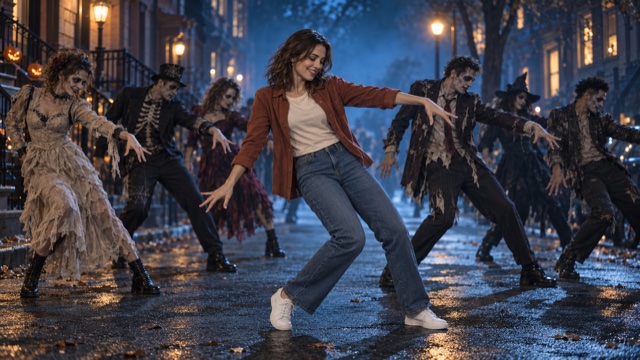
An AI Halloween zombie dance turns one still photo into a playful, stiff-armed performance on a foggy street lit by jack-o'-lanterns. Start with a clear full-body photo that shows the person's face, arms, and both feet. The scene and dance movements are generated from that photo.
On VideoAny, use AI Thriller Dance. As of October 18, 2026, it uses Seedance 2.5 to create a silent 5-second, 720p clip for 568 credits, and the aspect ratio follows your photo. Check the effect page for the current settings and cost before generating. This guide covers photo choice, generation, reviewing the result, and preparing it for a Halloween post.
What the effect creates
Your photo supplies the opening frame. The surroundings gradually become a foggy, moonlit street with glowing pumpkins and bare trees. The person bends their elbows with loosely curled hands beside the torso, gives one brief, stiff shoulder movement, takes a short sideways step, and settles into a playful zombie pose. The hands stay away from the face, and the scene uses soft purple and orange light.
The scene direction aims to preserve the person's recognizable face, hairstyle, and own outfit. It excludes costume changes, zombie makeup, blood, gore, and weapons, and does not request a celebrity likeness. These are generation instructions; faces, clothing, and scene details can still change. Watch the whole clip and check that the result fits your audience before posting.
The clip is silent, so you can add your own licensed track when you post.
Step 1: Pick a full-body photo
A dance effect needs to see the whole body.
A good photo has:
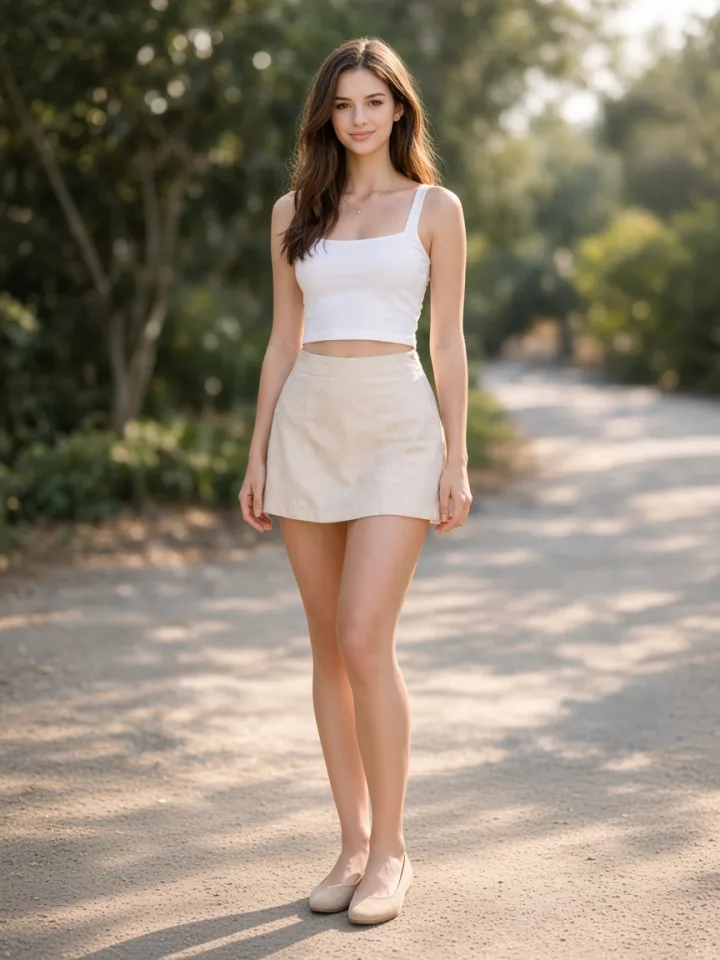
- One person, sharp and well lit, with a clear face
- The full body in frame, head to shoes, with feet on the ground
- Arms not hidden behind the body or other objects
- A simple pose (standing relaxed works best)
Skip close-ups and half-body crops, group photos, heavy filters, and photos where the person is sitting. Only use photos you have permission to use.
Step 2: Upload and generate one test
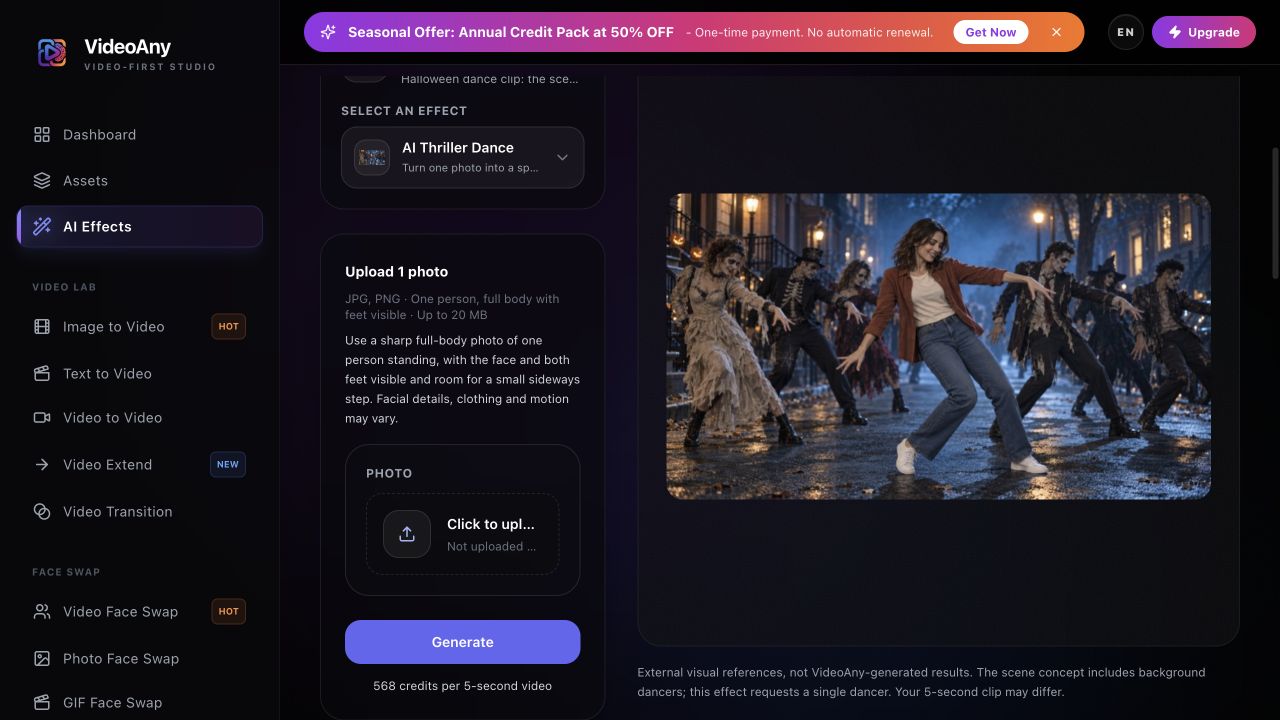
Open AI Thriller Dance.
- Sign in and confirm you have at least 568 credits.
- Upload one JPG or PNG, up to 20 MB, and check the photo preview.
- Select Generate once.
Each run makes one 5-second clip. Five seconds is the video length, not the generation time; allow several minutes for processing. Keep the page open, or check your generation history if progress cannot be confirmed. The scene and dance are preset, so there is no custom prompt to fill in.
Start with a single output and save it for comparison. Each new generation uses credits, so change the source photo only after reviewing the first take.
Step 3: Check the hands, face, and feet
Watch the full clip once, then scrub through the arm moves.
Look for:
- Hands merging or extra fingers during the clawed-hand moves
- Face drift between successive frames
- Feet sliding or floating during the shuffle step
- Arms or feet cut off at the edge of the frame
Try a photo with the full body visible, open space around the arms and feet, and even light on the face. A clearer photo may help, but cannot guarantee clean hands, footwork, or an exact likeness.
If generation fails or progress cannot be checked, review your generation history before starting another task. If the task or credit status is unclear, check your balance and contact support before submitting again.
When you are happy with a result, select Download video. If your browser opens the video in a new tab, use the player menu to download or save it before adding music.
Before you share
Add music in TikTok, Reels, CapCut, or your editor. Use a track you have the right to share. Short captions land best, for example "Me at the office party at 11pm" or "Dad has entered spooky season."
If you are preparing a Halloween post, leave time to review and edit the clip before your planned publishing date. Preview at phone size, keep text away from the face and hands, and label the clip as AI-generated.
FAQ
What photo works best for an AI Halloween zombie dance?
A sharp full-body photo of one person standing, with a clear face, visible arms, and both feet on the ground.
Will it put scary makeup or blood on my face?
The scene direction excludes zombie makeup and blood and asks to preserve your face and clothes. Review the full result because generated details can still vary. The intended Halloween mood comes from the street, fog, pumpkins, and dance.
Does it include a famous song or copy a music video?
No. The clip is silent and the dance is a generic zombie-style party dance. Add licensed music when you post.
How much does it cost?
Each generation uses 568 credits for one 5-second, 720p video.
Why does my result look different from my photo?
Image quality, content checks, and temporary service issues can affect generation, and AI may change facial details. A clearer full-body photo may help.
Make your clip
Pick one full-body photo, open AI Thriller Dance, spend 568 credits on one 5-second test, then add music and post before October 31. For more Halloween ideas on VideoAny, try AI Ghost Prank Filter, AI Pumpkin Head, AI Broom Riding, and AI Zombie Couple.