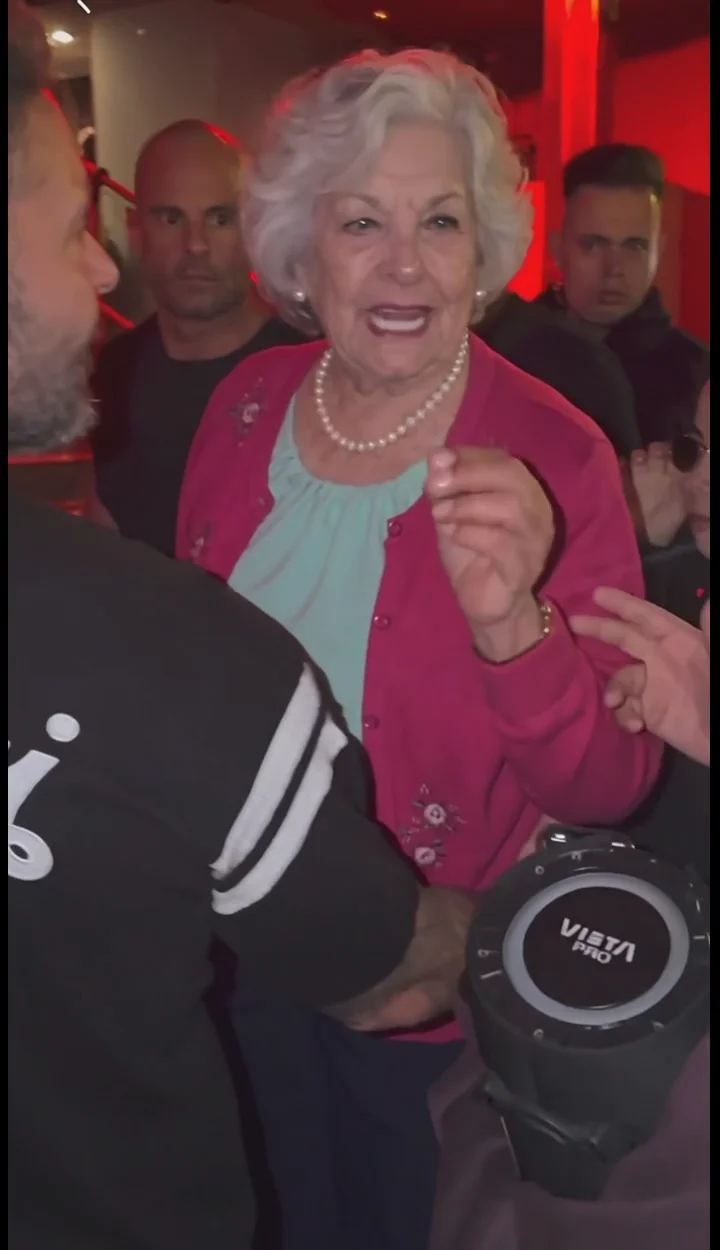
External visual reference from Bulin47 AI. Not a VideoAny-generated result.
The Bulin 47 freestyle look is recognizable through its setting and attitude: a red-lit entrance at night, a portable speaker held toward the performer and a few onlookers filming from the doorway. Small shoulder movements and a relaxed laugh can carry the scene in five seconds.
VideoAny’s Bulin 47 Freestyle effect uses one portrait to create a new performance scene. Its fixed preset is Seedance 2.5, 5 seconds, 720p, portrait 9:16, at 568 credits. The output is silent. Mouth movement is visual performance, with no original recording, generated vocals or imitation of an artist’s voice.
1. Give the performer a readable face and posture
Choose one sharp photo of one person facing the camera, with the face and upper body visible. A neutral expression or small smile works as a starting point for the lean and final laugh. Leave space around the shoulders rather than cropping immediately under the chin.
Avoid harsh shadows across the eyes, a microphone blocking the mouth or a crowd where the main person is unclear. You do not need a red background, a speaker or a raised arm in the photo. The upload acts as an identity reference; the preset creates the night entrance around that person.
A daylight portrait is acceptable if the face is easy to read. Trying to match the scene by using a very dark nightclub selfie can remove exactly the facial detail the model needs. The generated lighting, composition and fine clothing details may differ from your input.
2. Upload and confirm the vertical settings
Open the effect and sign in. Use Click to upload in the single-photo slot, select a JPG or PNG up to 20 MB, and check the preview. Wait until the image has finished uploading.
Confirm Portrait · 9:16, 5-second clip, Seedance 2.5 · 720p and the 568-credit cost. The vertical framing comes from the preset, even when the reference photo is wider. There is no custom prompt or audio field to fill in for this effect.
Select Generate once when the image and balance are ready. Generation may take several minutes. If status checking fails or the task takes longer than expected, check generation history before starting again.
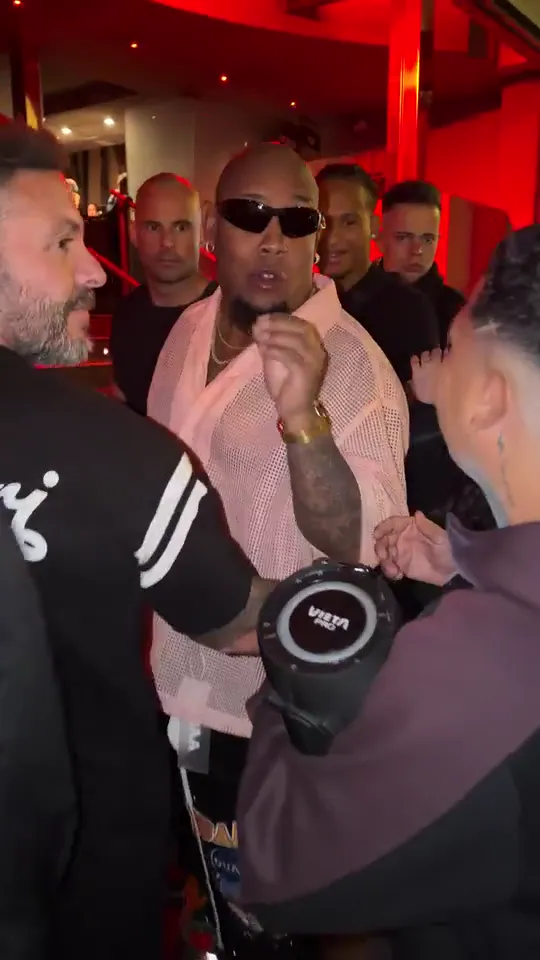
External visual reference from VideoBulin47. Not a VideoAny-generated result.
3. Check the actual movement sequence
The intended action is a short mouthed freestyle, a shoulder bounce, a slight lean toward the speaker and a relaxed laugh.
Watch for three specific issues:
- Face continuity: the face should remain readable during the lean, mouth motion and laugh, rather than changing into a different performer.
- Speaker placement: the speaker belongs near the main person, with the friend’s hand and the performer’s body remaining separate.
- Background separation: people filming in the doorway should stay background figures rather than becoming duplicate versions of the lead.
Some handheld movement suits the scene. Excessive shake that hides the face or loses the speaker makes the joke harder to follow. Pick for a clear interaction rather than the brightest red lighting alone.
4. Resolve a weak take with a clearer reference
If the face changes during the laugh, try a less filtered, front-facing photo. If the shoulders blend into another person, choose a single-person image with visible space on either side. If the mouth is malformed, remove inputs where a hand, hair or an object covers the lips.
The preset’s scene and movements are fixed. Changing the input can improve clarity, but it does not provide a way to request particular lyrics, a different gesture or exact choreography.
5. Add sound after downloading
Use Download video when the result is ready. Add your chosen sound in an editor or publishing app, then place the final laugh near a natural musical break. The visual was not generated to match that recording, so check the edit as a complete short joke. Keep text outside the face and speaker area. Describe it as an AI street-performance clip rather than an authentic Bulin 47 recording or an endorsed collaboration.