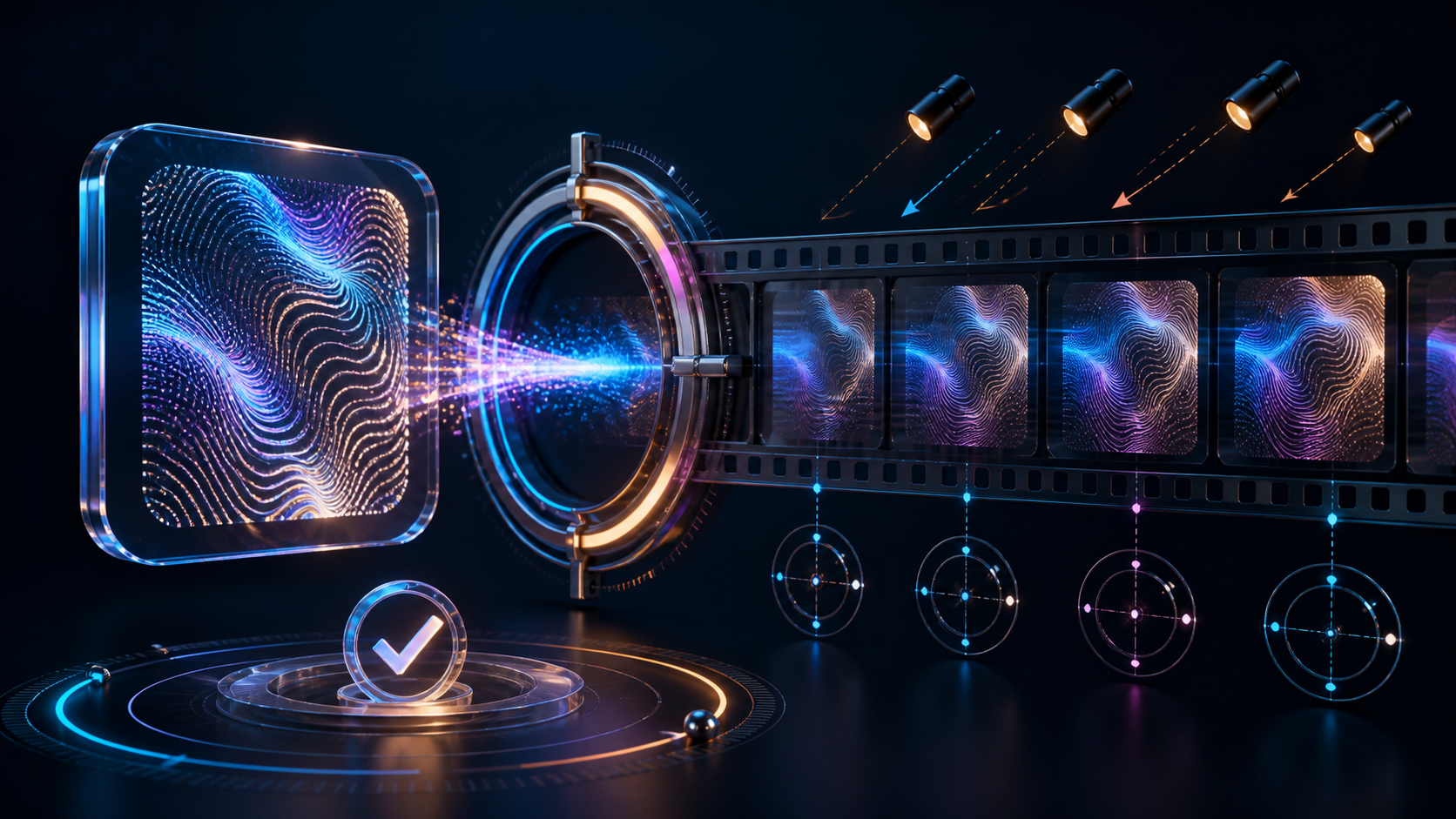
A face swap from photo to video combines two assets with very different jobs. The source photo contributes identity cues. The target video contributes the performance: pose, expression, head movement, timing, light, framing, body, background, and usually audio. A clean result depends on how well those inputs agree over time.
The best source portrait is not necessarily the largest or most flattering image. It is the authorized image whose angle, light, sharpness, expression range, and visible facial boundaries give the model compatible information for the hardest moments in the target clip.
This guide follows the familiar five-step photo-to-video face-swap process—select, upload, generate, preview, retry—but focuses on the preparation decisions that actually improve a current VideoAny job. It does not invent prompt, fine-tuning, strength, aspect-ratio, resolution, or target-selection controls that the live face-swap route does not expose.
Responsible-use baseline: Use your own face or a clearly adult person who gave explicit, informed permission for the source photo, target performance, exact context, and distribution. Never involve minors or age-ambiguous subjects, create non-consensual intimate media, use an unauthorized public or private person, fabricate endorsements or conduct, or impersonate anyone deceptively.
Source portrait versus target video
Understanding what each input controls prevents unrealistic expectations.
What the source portrait contributes
The source photo provides visual identity signals such as:
- face shape and proportions;
- eye, brow, nose, mouth, and jaw appearance;
- visible skin detail and color;
- facial hair, makeup, and some accessories;
- the single captured angle, expression, focus, and lighting state.
A single still does not contain every profile, expression, tooth shape, eye closure, shadow, or motion state that appears in a video.
What the target video contributes
The target supplies:
- head and body movement;
- expression timing and mouth motion;
- camera movement and lens perspective;
- shadows, highlights, blur, and compression;
- hair, ears, neck, wardrobe, hands, and props;
- shot cuts, duration, and original audio.
Face replacement does not make the target performance belong to the source person. If the target says, endorses, or performs something, the composite can falsely attribute that conduct to the new identity. Authorization must cover that meaning.
Clear both inputs before comparing pixels
Confirm four distinct permissions:
- the right to use and transform the source photograph;
- the source person’s permission for synthetic identity use;
- the right to alter the target footage and audio;
- the target performer’s permission for the altered context.
For mature material, every human subject must be verifiably adult, and consent must explicitly cover the intimate or sexual context. A generic portrait release, old relationship, public profile, fan account, or downloadable stock preview is not enough.
Keep a short project record containing asset IDs, licenses, releases, intended audience, platforms, reviewer, approval, and disclosure plan. Remove unnecessary personal metadata from working copies, but preserve rights evidence separately.
Choose the best source photo
Prefer useful facial detail over file size
A large image can still contain a tiny, blurred face. Inspect the face at 100% zoom. Eyes, brows, nostrils, lip boundary, jaw, and hairline should be distinguishable without aggressive sharpening. Avoid screenshots with overlays, social-media compression, beauty filters, or generative artifacts.
Match the dominant target angle
A frontal portrait provides the most symmetrical information, but it may struggle with a target that stays in three-quarter or profile view. Select a photo close to the target’s most important angle. If the target rotates widely, treat the extreme turn as the compatibility test; the current public route still accepts only one source image per job.
Match lighting direction and softness
Compare which side of the face is brighter, how hard the shadow edge is, and whether the color is warm, cool, or mixed. A flat daylight portrait paired with a target under strong colored side light creates a difficult transition. Correct gross exposure or white balance in a conventional editor without changing identity-defining structure.
Match expression demands
A neutral source is usually more adaptable than a tightly closed smile, exaggerated grimace, or open mouth. If the target contains broad laughter or speech, check teeth and mouth frames carefully. The model must infer states missing from the still.
Keep facial boundaries visible
Avoid photos where hair, hands, sunglasses, deep shadow, a crop, or a prop hides the jaw, eyes, or mouth. Accessories that appear only in the source can flicker because the target motion does not contain matching geometry.
Use a current, context-appropriate image
Do not use childhood images or a portrait whose adult status is unclear. Large differences in age presentation, hairstyle, facial hair, or cosmetic styling can make the transition unstable and can create consent ambiguity.
Score candidate portraits before uploading
Give each candidate 0, 1, or 2 points per row: poor, workable, or strong.
| Criterion | 0 points | 1 point | 2 points |
|---|---|---|---|
| Authorization | Missing or unclear | Limited scope | Written, project-specific approval |
| Face detail | Blurred or tiny | Moderate | Sharp facial features |
| Angle match | Opposite/extreme | Nearby | Matches dominant target angle |
| Light match | Opposite direction/color | Correctable | Similar direction and softness |
| Expression | Occluded or extreme | Mild mismatch | Neutral or compatible |
| Boundaries | Cropped or blocked | Minor obstruction | Eyes, mouth, jaw, hairline visible |
| Age/context clarity | Ambiguous or inappropriate | Adult but dated styling | Clearly adult and context-approved |
Authorization is a gate, not merely another point. Discard any candidate with a zero in that row regardless of technical score. Among authorized images, test the highest-scoring portrait first.
Analyze the target video
Build an angle path
Mark when the target moves through frontal, three-quarter, profile, looking down, and looking up. Note the most extreme state and how long it lasts. A brief profile may be tolerable in a casual test; a sustained profile can dominate the quality outcome.
Track scale and focus
Record when the face becomes smallest, softest, or most compressed. Digital zoom and stabilization can change detail from frame to frame. If the target begins as a close-up and becomes a distant group shot, the public route may encounter a different detected target.
Mark occlusions
Hands, microphones, glasses, hair, smoke, food, hats, masks, and foreground objects challenge boundaries. Check both the entrance and exit of an obstruction; edge artifacts often appear during the transition rather than at maximum coverage.
Mark lighting changes
Watch for the performer turning past a window, colored lights, flicker, flashes, shadow bands, or exposure ramps. A static source photo cannot provide a sample of each light state.
Separate shots at real cuts
A clip containing several camera angles may behave like several different compatibility problems. Test short shots independently rather than assuming one successful frame predicts the entire edit. Do not create artificial crop-and-stitch work merely to hide another unauthorized person.
Read the audio as a claim
Transcribe speech, lyrics, and off-camera dialogue. Ask what viewers will believe the source person said or endorsed after the face replacement. If that belief is unapproved, the project fails even if the edges look perfect.
Match source and target with a compatibility grid
| Target condition | Strong source choice | Common failure | Better action |
|---|---|---|---|
| Mostly frontal, soft light | Frontal neutral portrait, soft light | Minor color mismatch | Correct exposure gently and test |
| Three-quarter conversation | Similar three-quarter portrait | Eye and jaw drift | Choose a closer angle |
| Fast profile turn | Clear portrait near the turning angle | Identity collapse at profile | Shorten, reshoot, or avoid the swap |
| Colored side light | Portrait with similar light direction | Floating skin tone | Match light or use different footage |
| Heavy hand occlusion | Unblocked portrait cannot solve target geometry | Edge tearing at hand | Use conventional compositing or another shot |
| Small group face | High-detail source still may be insufficient | Wrong target or unstable identity | Use a solo shot or a verified mapping tool |
This grid turns “try another photo” into a specific diagnosis.
The current five-step VideoAny workflow
Step 1: Open the correct mode
Use the approved VideoAny Face Swap entry and select the video mode. Photo and GIF modes are separate; this workflow uses a moving target plus a still source face.
Step 2: Upload the target video
The current public picker lists MP4, WebM, MOV/QuickTime, or GIF target files up to 50MB. Start with a short, rights-cleared test containing the hardest angle, occlusion, or light change. The live picker is authoritative if formats or limits change.
Step 3: Upload one source face image
The current source picker lists JPEG, PNG, or WebP up to 10MB. It accepts one source face per job. Use the highest-scoring authorized portrait from the checklist above.
Step 4: Generate without invented settings
The current request maps the source face to the first detected target. It does not expose a text prompt, target selector, multiple source images, region mask, swap strength, aspect ratio, output resolution, frame rate, duration, or fine-tuning controls.
The current studio displays 30 credits per video or GIF job and 5 credits per photo job. This is present interface information, not a permanent price or per-second rule. Review live credit options before batching.
Step 5: Preview, download, and inspect
The route is designed to preserve target motion, expression, and original audio, but that is an objective—not a guarantee. Inspect the downloaded file and the visual timeline before approval.
Retry by improving inputs, not imaginary sliders
When a result fails, identify the failure category.
Identity drifts during a turn
Choose a source portrait closer to the target’s three-quarter or profile angle, shorten the target to avoid the extreme turn, or use footage with a narrower pose range.
Edges tear around hair or hands
Select a target with cleaner boundaries or use conventional masks and tracking. A different source photo cannot remove an obstruction that belongs to the target performance.
The face looks pasted on
Match lighting direction, color temperature, sharpness, and apparent camera perspective more closely. Check whether the target is heavily compressed or the source is overprocessed.
The wrong person is affected
Stop. The current public interface fixes the first target and offers no selector. Use a solo shot, reshoot, edit conventionally, or choose a verified tool with explicit target mapping. Do not keep generating sensitive uploads hoping detection order changes.
Mouth and audio feel misleading
Change the target clip or concept. Technical polish cannot create consent for an unapproved statement or performance.
Frame-by-frame quality review
Review normal speed first for overall believability, then half speed for transitions, then individual frames at key moments.
- First frame: is the identity already stable?
- Neutral pose: are eyes, nose, mouth, jaw, and hairline aligned?
- Expression peak: do teeth, lips, eyelids, and cheeks remain coherent?
- Turn: does identity survive three-quarter and profile views?
- Occlusion: do hands, hair, glasses, and props remain in front correctly?
- Light transition: do tone and shadow change with the target?
- Cut: does identity reset or jump?
- Final frame: does quality degrade near the end?
- Download: are duration, resolution, frame rate, codec, container, and audio acceptable?
- Meaning: could viewers mistake the clip for authentic conduct or endorsement?
Reject any result that misidentifies the person, changes context without approval, or appears to involve a minor or age-ambiguous subject.
Responsible applications
Self-avatar experiments
Use your own authorized portrait with footage you own or licensed. Plan disclosure if a realistic result could be detached from its original creative context.
Contracted performer variations
A clearly adult performer can approve a specific character look for a named production. Ensure the target performer, source identity, footage, and final edit all fall within the release.
Film and advertising previs
Use watermarked, access-controlled tests to explore casting or effects with licensed adult talent. Do not publish a previs asset as an endorsement or final performance without the required approval.
Fictional storytelling
Use an original adult identity that does not imitate a real person. Maintain a character record and check outputs for accidental resemblance.
Mature work involving consenting adults
Obtain specific consent for the intimate context, not merely for a face photo. Exclude minors, uncertain age, coercion, hidden-camera framing, and unauthorized real-person identities completely.
FAQ
The current public page groups its FAQ around six useful decisions: photo selection, content boundaries, aspect ratio, accuracy, adjacent generation modes, and payment. The answers below preserve that structure while replacing unsupported business claims with current VideoAny facts.
What makes a good source photo for video face swap?
A rights-cleared, clearly adult portrait with sharp facial detail, visible eyes and boundaries, even lighting, and an angle close to the target’s dominant pose.
What content restrictions apply to a photo-to-video face swap?
Use only licensed media and your own identity or a clearly adult person who explicitly approved the exact context and distribution. Never involve minors or uncertain age, non-consensual intimate content, unauthorized real people, deceptive impersonation, fraud, harassment, or illegal material.
Which aspect ratios does the face-swap route support?
The current swap route does not expose an aspect-ratio or resolution selector. The target video supplies its existing frame shape, but the returned file still requires inspection. Use a conventional editor for a required delivery crop after verifying the downloaded result.
How accurate is a face swap from one photo?
There is no universal accuracy or realism guarantee. Angle, light, face scale, expression, motion blur, occlusion, compression, and cuts affect the result. Review the whole timeline, not only a favorable still.
Can I combine face swap with text-to-video or image-to-video?
Not inside one current face-swap request. You can create a fully rights-cleared target clip in a separate generation workflow, download it, and then evaluate it as the target video for a separate swap job. That sequence does not grant identity rights or guarantee technical compatibility.
How are current VideoAny face-swap jobs charged?
The current interface displays 30 credits for a video or GIF item and 5 credits for a photo item. These are current per-item values, not a fixed per-second promise. Check the live pricing interface before a batch; payment does not grant rights to any face or footage.
Better inputs make better decisions
A face swap from photo to video is not a magic transfer from any portrait into any clip. It is a compatibility problem wrapped inside an identity-rights decision. Score authorized source photos, map the target’s hardest motion and light states, run one short test through the controls that actually exist, and review the complete result frame by frame.
When the inputs do not match—or when the rights and context do not pass—do not search for an imaginary slider. Change the photo, the footage, the method, or the concept.