Categories: AI Video, AI Image, Creator Guides
Tags: videoany, ai video, ai video generator, ai content creation, creator guide
Introduction
Modern AI video workflows are most effective when they prioritize clarity and intentionality. Rather than simply speeding up production, the best tools allow creators to maintain a cohesive vision from concept to final export. This guide explores how to structure your production pipeline—from initial planning to final polish—using VideoAny to bring your creative narratives to life.
Defining Your Creative Workflow
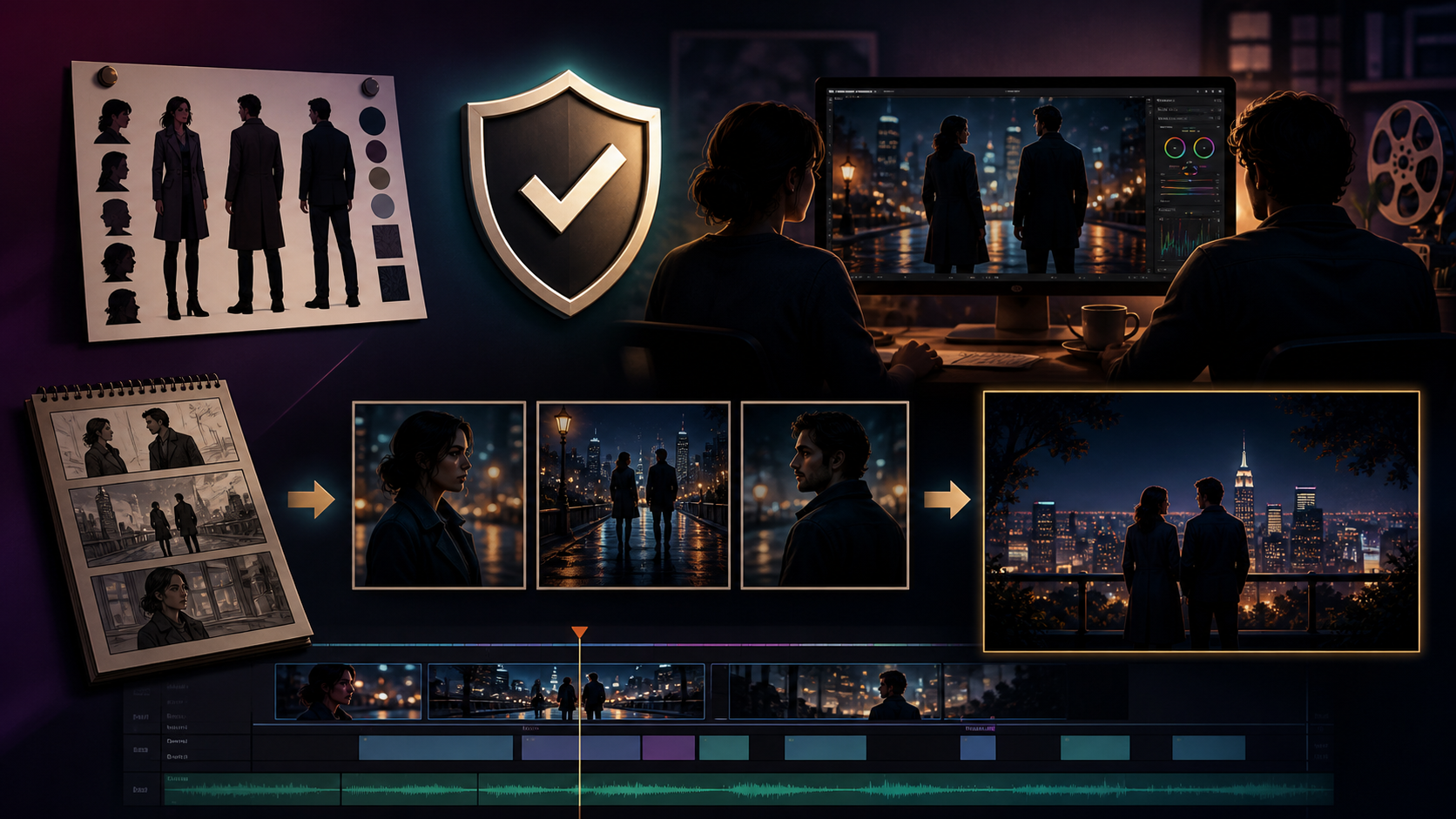
To produce high-quality short-form content, treat your AI-assisted workflow as a repeatable production system. The creative concept remains the core of the project, but the execution requires clear inputs, controlled iteration, and a rigorous review process.
1. Define the Content Outcome
Before generating a single frame, define your goal. Are you creating a short narrative scene, a social media clip, or a visual accompaniment to music? Establishing the format early helps you choose the right aspect ratio and pacing.
2. Prepare Your Inputs
Success in AI video often depends on the quality of your source material. Gather your assets:
- Prompts: Descriptive text that defines style, lighting, and action.
- Reference Assets: Use image-to-video tools to maintain visual consistency by providing a base frame or character design.
- Audio: If your project requires dialogue or rhythm, prepare your text-to-audio or music tracks beforehand to ensure the visual pacing matches the soundscape.
3. Iterative Generation
Avoid trying to generate a finished film in one attempt. Instead, generate in small, manageable passes. This allows you to refine specific movements or visual elements without needing to redo the entire sequence.

Navigating Content Creation Responsibly
When exploring creative tools for adult-oriented or mature storytelling, it is essential to prioritize responsible creation. Always ensure that your content involves consenting adults and adheres to legal standards and platform terms of service. Avoid creating content that involves non-consensual imagery, minors, or any form of harassment.
Many creators turn to AI platforms to bypass the limitations of traditional, highly restrictive software, seeking a space where their artistic vision is not stifled by aggressive keyword filtering. By choosing a platform that respects creative integrity, you can focus on building complex visual narratives that reflect your unique imagination.

Production Checkpoints
Before finalizing your project, use this checklist to ensure your video is ready for publication:
- Continuity: Do characters and environments remain consistent across different shots?
- Pacing: Does the motion feel natural, or does it require further refinement?
- Clarity: Does the video communicate your intended idea clearly without requiring extra explanation?
- Technical Specs: Check your aspect ratio, caption placement, and audio levels for your target platform.
Frequently Asked Questions
1) Can this workflow work for a solo creator? Yes. By starting with a repeatable format and keeping your asset list organized, you can scale your production capacity significantly as a solo artist.
2) Should I generate first or write the edit plan first? Always write a plan first. Even a simple outline helps you evaluate whether your AI generations are actually supporting your final narrative goals.
3) What should I check before publishing an AI video? Beyond visual quality, check for motion artifacts, audio-visual synchronization, and whether the final output aligns with the original creative brief.
4) How does VideoAny fit into this workflow? Use VideoAny as your primary engine for visual generation and variation, then integrate those clips into your broader editing pipeline for final assembly and sound design.
Conclusion
AI-assisted video production is a powerful medium for those who treat it as a system. By combining clear creative intent with a structured, iterative workflow, you can transform abstract ideas into polished visual narratives.
Ready to start your next project? Explore the full suite of tools at VideoAny.