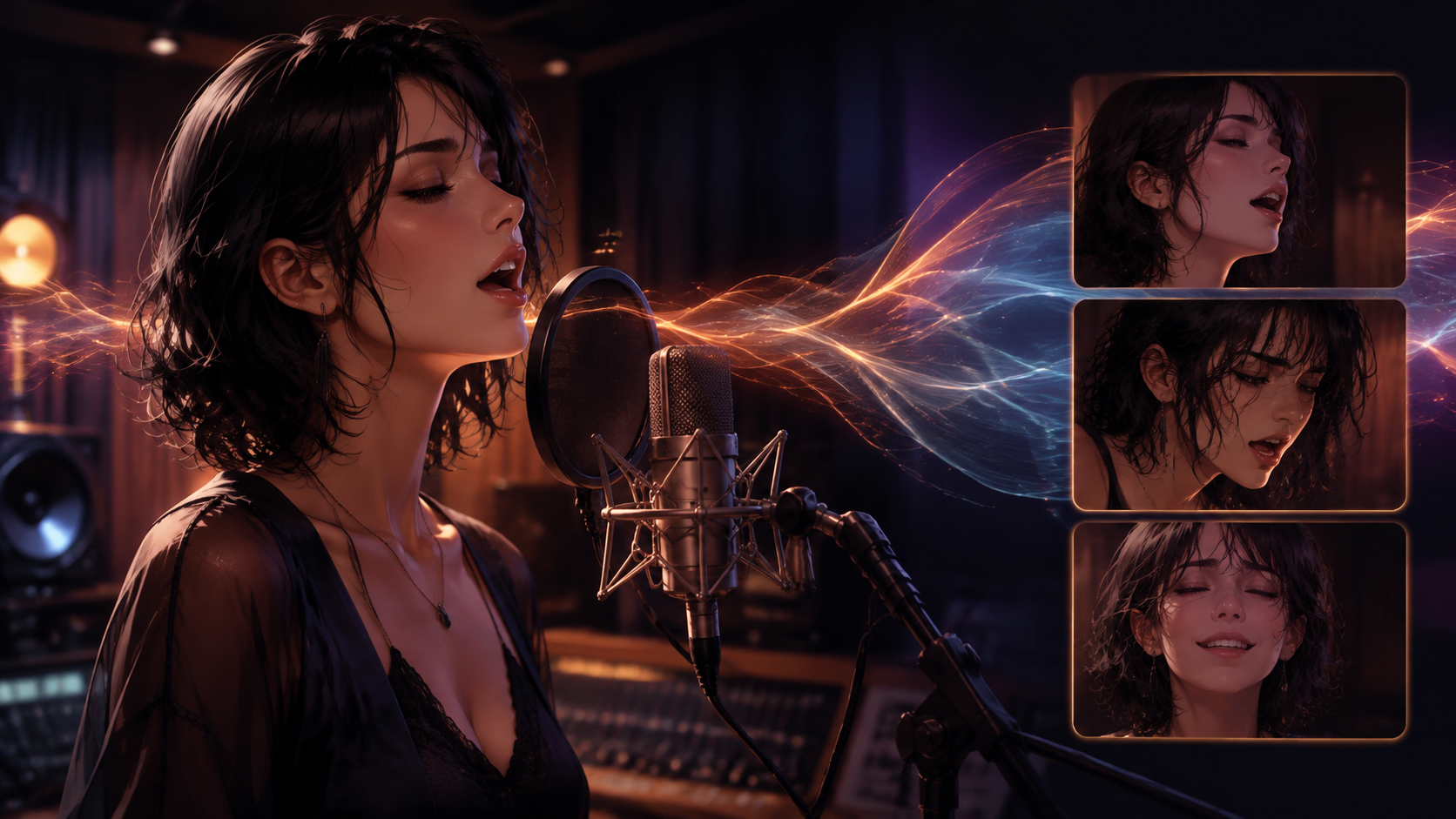
Achieving a convincing speaking or singing character in video extends beyond merely synchronizing mouth movements to audio. A truly compelling performance requires the character's facial expressions, head movements, and even body language to align seamlessly with the vocal delivery. When these elements are mismatched—for example, a voice conveying sadness while the face smiles, or a microphone obscuring crucial facial cues—the result can be unconvincing, even if the technical lip sync is accurate.
This article explores various approaches to effective lip synchronization, focusing on the distinct capabilities of HeyGen, Runway Act-Two, Kling, Sync/Sync Labs, Hedra, and CapCut. We also examine Adobe Firefly as a specialized option for localization. The aim is to compare their input requirements, how they handle timing and expression, their suitability for stylized characters, and their integration into broader production workflows. Instead of ranking tools, we propose a structured selection process to guide creators in identifying the most appropriate solution for their specific project needs.
To illustrate these considerations, we will use an original example: Maren, a fictional adult singer rehearsing alone in a small recording booth. She first speaks a line to an engineer, then sings a short phrase from an original composition. We will treat these spoken and sung portions as separate tests, utilizing an authorized recording and a pre-designed character. This approach highlights the different demands of speech versus song and allows for a detailed evaluation of each tool's performance.
Matching Workflow to Input: A Tool-by-Tool Comparison
The initial step in any lip-sync project is to clearly define your starting materials and desired outcome. Animating a still portrait with a voice recording presents a different challenge than replacing dialogue in existing video footage or transferring a live-action performance to a digital character. Understanding these distinctions is crucial, as various tools are optimized for different input types and workflows. It's essential to verify the specific input capabilities and current availability of any chosen tool through its official documentation.
HeyGen: Multilingual Presenter and Dubbing
HeyGen excels in multilingual presenter and dubbing workflows, primarily through its Video Translation feature. This tool revoices existing video in a selected language, with lip synchronization automatically adjusted based on the translation engine. An "Audio Only" mode is also available, which translates the audio without altering the original lip movements, useful when the visual performance is already satisfactory. Note that embedded graphics or text are not translated. HeyGen supports various languages, including Japanese, for its video translation services.
For Maren's test, if the objective were to localize her spoken line into another language, HeyGen's Video Translation would be a prime candidate. The key consideration would be whether the localization accurately preserves the meaning and emotional delivery of her original performance. For detailed instructions, consult the official HeyGen Video Translation guide: How to Get Started with Video Translation.
Runway Act-Two: Performance-Driven Character Animation
Runway's Act-Two specializes in performance-driven character animation. It takes a driving performance video and transfers its motion and expression to a target character, which can be either a still image or another video. With a character image, Act-Two enables gesture and body control. When using a character video, the tool focuses on controlling facial motion and expression while preserving the existing environment and camera movement. This allows for transferring the nuances of a human performance to a digital avatar.
If we had a live-action recording of an actor delivering Maren's lines and songs with specific gestures, Act-Two could transfer that performance to her animated character. The central question would be whether the expressive performance from the driving video effectively translates to Maren's character design and supports her emotional arc. More details are available in the official Runway guide: Performance Capture with Act-Two.
Kling: Reference-Guided Video Generation
Kling VIDEO 3.0 supports image-to-video generation and the use of element references to guide video creation. This workflow allows for bringing a static image of Maren to life with motion and dialogue, maintaining character consistency across a sequence.
When considering Kling for Maren's scenario, it's important to determine if the selected mode allows for the precise integration of pre-approved audio, or if it primarily focuses on generating its own native audio and dialogue. The official Kling VIDEO 3.0 user guide provides further insights: Kling AI Video 3.0 Model User Guide.
Sync / Sync Labs: API-Driven Lip-Sync Integration
Sync / Sync Labs offers a dedicated API for generating lip-synchronized media. This API accepts visual input (video or image) along with audio or text, producing media where lip movements match the provided audio. With official Python and TypeScript/JavaScript clients, it's suitable for developers integrating lip-sync capabilities into custom applications or workflows.
For Maren's test, Sync Labs would be considered for its programmatic approach. The key question would be whether its chosen model effectively supports the supplied audio material and desired visual replacement for both spoken and sung performances within an integrated application. The API's capabilities are outlined in its official overview: API Overview.
Hedra: Still-Image or Character-to-Speaking-Video
Hedra provides a workflow for creating avatar videos from a still image or a generated character combined with an audio track. Users can upload a photo or generate a character, then provide a script and voice. The platform allows for recording audio directly or creating a voice-driven speaking video, with options to revise voice, pacing, or appearance.
For Maren, Hedra could animate her still portrait with her recorded spoken and sung samples. The primary concern would be whether her character remains visually consistent and expressive throughout both segments, maintaining readability and emotional nuance. Details on this process are available on the official Hedra AI Talking Avatar page: AI Talking Avatar.
CapCut: Integrated Lip Sync for Video Editing
CapCut integrates a lip-sync feature directly into its video-editing environment. It supports image or video inputs combined with dialogue or an uploaded audio recording for synchronization. This makes it a convenient option for creators already using CapCut. However, its availability may depend on the specific version and region.
For Maren's scenario, if the final output is to be edited within CapCut, its integrated lip-sync tool would be a natural choice. The question would be if the feature is present in the specific version being used and if its capabilities are suitable for the nuanced requirements of both spoken and sung performances within the final edit. The CapCut Lip Sync tool and feature availability are detailed on its official pages: Lip Sync tool and feature availability help.
Adobe Firefly: Localization for Enterprise Plans
Adobe Firefly offers a "Translate Video" workflow that includes an optional Lip Sync control. This feature is specifically designed for localizing video content and is typically available to users on eligible enterprise plans. It's important to understand that this is a specialized localization route, not a general lip-synchronization feature applicable to every video-generation mode within Firefly.
If Maren's video needed to be translated and dubbed for a global audience, Adobe Firefly could be considered for its integrated localization and lip-sync capabilities, provided the user has an eligible enterprise plan. Consult the official Adobe instructions for details: Translate Video in Adobe Firefly.
Preparing Audio for Distinct Performance Needs
Effective lip synchronization relies on meticulously prepared audio. The nuances of spoken dialogue differ significantly from sung vocals, requiring specific attention during recording and processing.
For Maren, we'll use two distinct audio samples:
- Spoken Sample: An original rehearsal line: "Bring the paper boat back before morning." This line is chosen to convey specific emotion and pacing, starting quietly and ending with restrained confidence, with her attention directed towards an engineer.
- Sung Sample: A brief phrase from an original composition, featuring a sustained note and a clear ending. This tests how tools handle elongated vowels and precise timing characteristic of singing.
It is crucial to preserve the approved vocal recordings without alteration. Generating a melody or lyrics with a model is a different task from synchronizing to an existing, approved performance. Always keep an isolated voice version of the audio available, especially if the workflow calls for it. Record which specific audio file was used for each attempt to avoid confusion.
Before evaluating any generated facial animation, listen to the audio independently. If Maren's spoken delivery lacks the intended reassurance or her sung phrase misses its emotional mark, address these issues in the audio recording first. Lip synchronization tools can only reflect the performance they are given; they cannot invent or correct the underlying emotional content of the voice.
Designing Visuals for Effective Lip Sync
The visual design of your character and scene significantly impacts the success of lip synchronization. Even advanced lip-sync technology can be undermined by poor visual planning.
Consider Maren's recording booth setting. While a microphone is a natural prop, it should not obstruct her mouth, which is the focal point for lip sync. Choose a composition that establishes the studio environment effectively while ensuring Maren's face, especially her mouth and jaw area, remains clearly visible. This decision should be documented as part of the character reference packet.
For initial tests, simplify visual elements. Avoid combining a large head turn, a moving microphone, and a dramatic camera orbit within a single brief sequence. Each introduces separate challenges related to visibility, motion tracking, and character consistency. Once fundamental lip sync and expression are understood, you can gradually introduce more complex movements.
An example direction note for Maren's visual setup might be: > Maren is checking whether the engineer has understood a personal request. Her delivery is quiet, ending with restrained confidence. Keep her attention toward the established engineer position. Preserve her approved character design, letting expression support the pause. The microphone remains beside the face, not obscuring it.
This level of detail guides the visual generation process. However, not every tool can interpret or act upon such nuanced performance prompts in addition to raw audio. Verify the specific input capabilities of your chosen tool.
Diagnosing Lip Sync Issues: Timing, Expression, and Identity
Once a lip-synchronized clip is generated, a systematic review is essential. First, watch the candidate clip at normal speed. Does the character's performance feel natural and aligned with the audio, or does the mouth movement appear detached from the overall facial expression? Then, scrutinize specific moments: the beginning of words, pauses, and the end of phrases.
Key diagnostic points include:
- Mouth activity during pauses: If the character's mouth moves during a silent period, record the time range and verify the input audio. This might indicate an issue with silence detection or the tool's interpretation of pauses.
- Rapid speech during sustained singing: If Maren holds a note but her animated mouth appears to form words rapidly, note the phrase and mode used. This suggests the tool might be optimized for speech and struggles with elongated phonemes in singing. Consider workflows explicitly designed for musical performances.
- Contradictory expression: If Maren's voice conveys reassurance but her face shows confusion, document the intended emotion and the visible mismatch. This could point to issues with the acting source or the tool's ability to translate emotional cues into facial expressions.
- Identity shifts: Observe if the character's appearance (hair, jawline, costume) shifts or distorts. Record frames where these occur. This might require simplifying character movement or revising the visual reference for consistency.
- Obstructed mouth: If Maren's mouth is obscured by a microphone or prop, note the section. This is often a visual framing issue. Reframe the shot or adjust prop placement rather than attempting to fix it in editing.
These are diagnostic possibilities, not guaranteed causes or repairs. Maintain separate records for accepted spoken and sung samples to track progress and identify challenges.
Integrating Lip Sync into Production Workflows and Responsible Use
Lip synchronization is typically part of a larger production pipeline. Planning for dialogue, localization, and final assembly is crucial for a cohesive end product.
If Maren's scene involves interaction, sketch the entire exchange before generating any two-person performances. Separating speaking views and incorporating listening reactions for each character can clarify the scene and simplify independent review and refinement.
For localization, approving the translated meaning and pronunciation with a qualified language reviewer is paramount. A synchronized mouth does not automatically validate translation accuracy or cultural appropriateness. The final sequence, including localized captions and soundtrack, should be reviewed comprehensively after the localized performance is integrated.
For creators utilizing VideoAny, the platform offers a dedicated lip-sync capability. This feature allows users to animate an original character image with uploaded audio, providing a straightforward route for bringing static visuals to life with speech or song. This specific VideoAny route is designed for image-plus-audio input and does not currently support arbitrary uploaded-video lip-sync editing, automatic multi-speaker synchronization, or integrated text-to-speech generation. These elements are typically handled as separate stages within the broader production workflow. You can explore this capability further on the VideoAny lip-sync page.
Throughout the entire process, it is critical to use only voices, likenesses, footage, and music for which you have appropriate authorization. Always obtain clear permission before modifying a recognizable person's speech or using a cloned voice. When presenting synthetic performances, ensure transparency, especially if the context could otherwise mislead viewers about the authenticity of the content.
The ultimate acceptance test for Maren's scene is the complete sequence, incorporating the chosen audio, visuals, room sound, and final edit. Ask an impartial reviewer what Maren is communicating and whether her sung phrase feels consistent with her character. The goal is to select a workflow that reliably satisfies these performance requirements through a traceable and repeatable process, rather than simply opting for the tool that produces the most visually impressive isolated demo.