A scene can be clear in prose and impossible to explain with the shots you have planned. The reverse also happens: a sequence of striking images gives viewers no reason to care about the character moving through them. These are different production problems, so choosing a tool starts with identifying the missing decision.
For this comparison, a story generator assists with written narrative material such as premises, characters, scenes, and dialogue. A storyboard generator assists with a proposed visual sequence. Their outputs can complement each other, but neither label establishes the quality of a product's continuity, collaboration, or production controls.
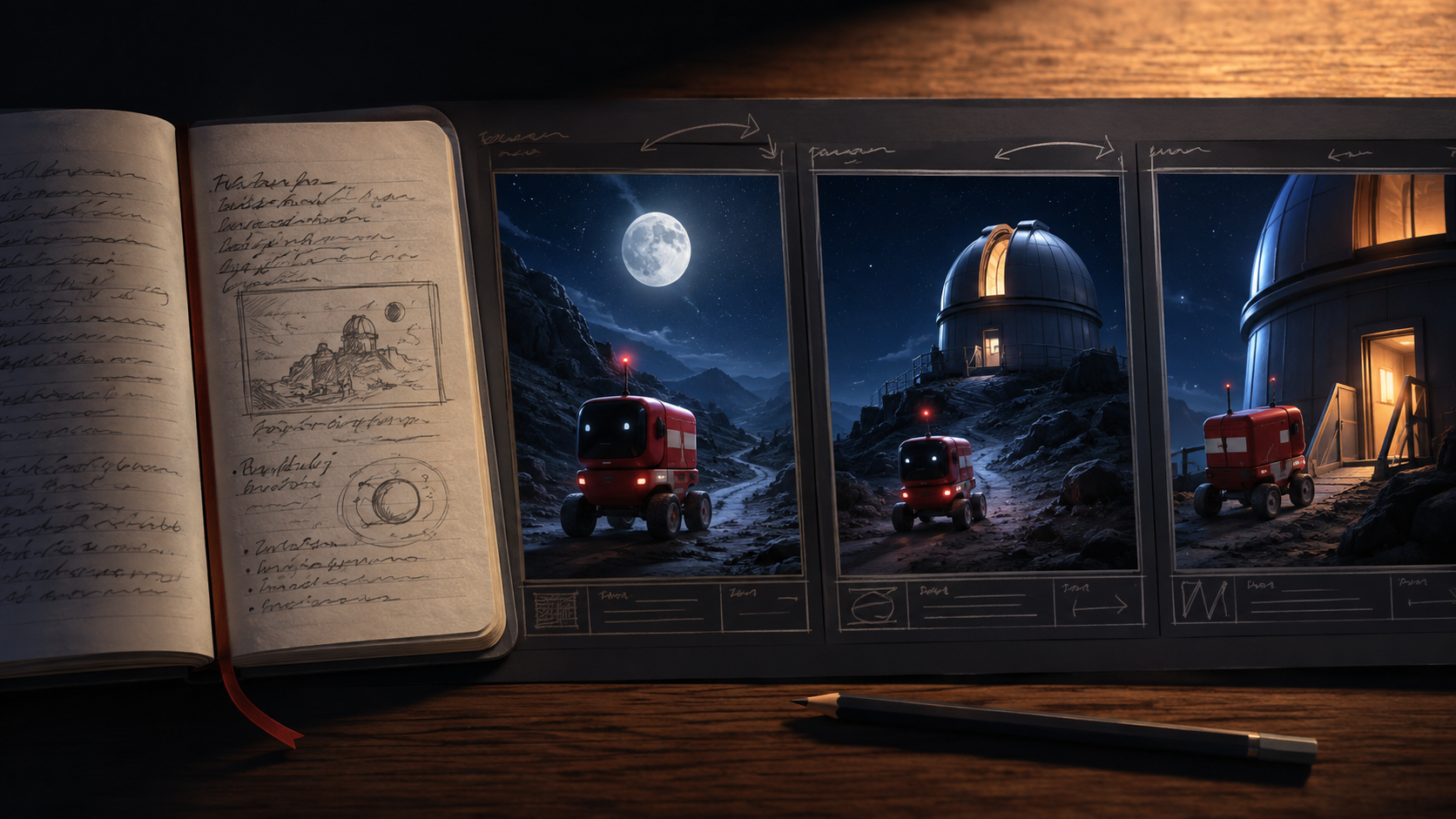
Consider an original fictional short about Pip, a delivery robot carrying a fragile seedling to a mountain observatory. A storm closes the main bridge. Pip can protect the parcel by waiting, or risk a narrow maintenance route because the seedling is needed before sunrise. This invented project will help us decide what to write, what to visualize, and what to verify between the two.
Start by Naming the Question You Cannot Answer
The initial step in any creative project involves pinpointing the core challenge. Is the story lacking depth, or is the visual execution unclear? Confusing these two distinct problems can lead to misdirected effort and inefficient tool selection.
If you do not know why Pip takes the risk, the obstacle is narrative. Generating more observatory images will not resolve it. Write several possible motivations and examine how each changes the story: perhaps Pip made a promise, misunderstood an instruction, or recognizes that the seedling belongs to someone important. A story generator can be instrumental here, helping to explore various character motivations, plot twists, and dialogue options. Its strength lies in generating textual content that can enrich the narrative foundation.
If you know the motivation but cannot show the blocked bridge clearly, the obstacle is visual planning. A paragraph explaining the closure may already be adequate; what you need is a sequence that establishes the geography and makes the alternative route readable. In this scenario, a storyboard generator becomes invaluable, translating textual descriptions into visual panels that convey spatial relationships, character actions, and environmental details.
To diagnose your specific need, use a diagnostic sentence: “The next production decision is .” Fill the blank with an action such as choosing a motive, revealing an object, establishing a location, or timing a reaction. A tool should help produce an artifact that answers that question. This clarity ensures that you select a tool that addresses your immediate, most pressing creative hurdle, rather than one that offers a broad, but potentially irrelevant, set of features.
Make a Story Draft Earn Its Place in the Workflow
An AI story generator is designed to assist with the textual aspects of narrative creation. It can help overcome writer's block, accelerate first drafts, and explore diverse plot possibilities. These tools excel at generating prose, dialogue, character descriptions, and even entire scene outlines based on user prompts. They function as a co-writer, taking a premise, genre, or character brief and expanding upon it.
Ask a writing assistant for alternatives with meaningful consequences, rather than asking for an entire polished film immediately. Here is an original planning prompt:
Develop three reasons Pip would choose the maintenance route with a fragile seedling. Keep the setting and delivery deadline unchanged. For each reason, write the action that reveals the motive, the cost of the choice, and a later event that could challenge it. Do not add new characters or solve the obstacle with an unexplained device.
This type of prompt encourages the AI to generate narrative options that are dramatically rich and logically consistent within the established parameters. It focuses on the "why" and "what if" of the story, which are crucial for developing a compelling plot.
Evaluate the alternatives with a short story test. Does the motive produce observable behavior? Does the cost affect the ending? Would the scene still make sense if the dialogue disappeared? These questions help you select useful material without confusing fluent prose with a workable dramatic situation. The goal is to identify narrative elements that translate effectively into visual storytelling, rather than just generating verbose text.
Once you choose a version, write a compact approved beat: “Pip notices a hand-drawn care note tied to the seedling and chooses the unsafe route.” That becomes the narrative commitment passed into visual planning. This concise beat captures the essence of the decision and its emotional weight, providing a clear directive for the next stage of production.
Translate the Beat into Shots with Distinct Jobs
An AI storyboard generator, in contrast to a story generator, focuses on the visual representation of a narrative. These tools take a script, concept, or even a simple beat and translate it into a sequence of illustrated panels. They help visualize scenes, plan camera angles, establish character positioning, and ensure visual continuity. For filmmakers, animators, or video creators, a storyboard generator is a critical pre-production tool for planning and pitching projects, as well as coordinating production teams.
Do not ask every panel to explain the entire story. Give each panel a specific informational job, then check how the sequence combines those jobs. This approach ensures that each visual element serves a clear purpose, contributing to the overall clarity and impact of the scene.
Consider the approved beat for Pip: “Pip notices a hand-drawn care note tied to the seedling and chooses the unsafe route.” This narrative commitment can be broken down into a series of visual panels, each conveying a specific piece of information:
| Planned panel | What the audience must understand | What does not need to be shown yet |
|---|---|---|
| Pip stops at the closed bridge | The familiar route is unavailable | The entire maintenance route |
| A close view of the care note | The parcel has personal significance | The full backstory of its sender |
| Pip looks toward a narrow side path | An alternative exists and feels risky | The final arrival at the observatory |
| The seedling is secured before departure | Pip accepts the risk and prepares | A long explanation of the robot's reasoning |
This table is a planning proposal, not a tested storyboard result. Sketch rough panels before requesting polished illustrations. If simple shapes cannot communicate the route choice, additional texture may conceal the weakness without fixing it. The initial focus should be on conveying information effectively, rather than on aesthetic polish. This iterative process allows for quick adjustments and ensures that the visual sequence accurately reflects the narrative intent.
Write a Handoff Packet That Survives a Tool Change
The effectiveness of any creative workflow, especially one involving multiple tools, hinges on clear communication and consistent documentation. A well-structured "handoff packet" ensures that critical information is preserved and accurately transferred between different stages of production, regardless of the specific AI tools or human collaborators involved.
A connection between applications is useful only when the right decisions cross it. Pip's packet should include the approved beat, a character reference, parcel proportions, location relationships, and a record of what the audience knows at each point. This comprehensive approach minimizes misinterpretations and ensures that all team members are working from the same foundational understanding.
Keep requirements and suggestions separate. “The parcel must remain intact until the ending” is a story constraint. “A close shot might reveal the care note” is a visual suggestion. When those categories are mixed, a later revision can accidentally remove an essential event while preserving an incidental camera idea. Clearly distinguishing between non-negotiable story elements and flexible visual interpretations is crucial for maintaining narrative integrity while allowing for creative visual exploration.
A reusable handoff can fit on one page, acting as a concise yet comprehensive guide:
Beat identifier: bridge choice. Character objective: deliver the seedling before sunrise. New information: the main route is closed. Emotional change: uncertainty becomes commitment. Essential object: care note. Spatial requirement: the side path must connect plausibly to the bridge area. Unresolved question: how much of the side path needs to be visible?
That packet remains useful whether you work in separate applications, a shared production system, or a document and an image editor. Its value lies in its ability to distill complex creative decisions into actionable, transferable information, making it a cornerstone of an efficient production pipeline.
Compare Tools by the Evidence They Can Produce
When evaluating AI tools for creative generation and production planning, it's essential to move beyond marketing claims and focus on demonstrable capabilities. Adobe Firefly, Cascade, Midjourney, and DALL-E are prominent names in discussions about AI-powered content creation. Their inclusion in a shortlist should trigger a suitability check, not an assumption that they offer interchangeable storyboard systems. Product names alone do not establish automatic script updates, persistent character identity, or a complete production pipeline. Each tool has its strengths, and understanding these nuances is key to making an informed decision.
For instance, when considering a tool like Adobe Firefly, one might ask: How effectively does it generate visual assets that align with a specific narrative beat? Can it maintain character consistency across a sequence of images? Similarly, for Cascade, the question might be: Does it offer robust features for laying out visual sequences and annotating them with production notes? How does it handle revisions to the underlying script?
Midjourney and DALL-E, known for their advanced image generation capabilities, present different considerations. While they excel at creating stunning visuals from text prompts, the challenge lies in their ability to integrate these images into a coherent, sequential storyboard. Do they offer features for scene planning, shot composition, or character persistence that are necessary for a visual narrative? Or are they primarily asset creation tools that require external orchestration for storyboarding?
Run the same small assignment through any candidate you are considering: represent Pip's bridge choice using the approved packet. Inspect how you provide references, revise a single decision, preserve accepted material, and export an understandable handoff. Where a capability is undocumented or unavailable in the interface you can access, mark it unresolved rather than crediting it in the comparison. This practical, hands-on evaluation provides concrete evidence of a tool's suitability for your specific workflow.
Also compare a neutral workflow built from separate writing, panel-planning, and asset-generation steps. Its advantage may be the clarity of its saved decisions; its cost may be manual transfer. Those are workflow questions you can inspect directly without copying a vendor's claim of seamless integration. Sometimes, a modular approach with distinct tools for each stage, combined with a robust handoff process, can be more effective than a single "integrated" solution that falls short on specific functionalities.
Reconcile Revisions Before Producing More Assets
The creative process is rarely linear. Revisions are an inevitable part of refining a story and its visual representation. It's crucial to have a system for managing these changes effectively, ensuring that updates to the narrative are accurately reflected in the visual plan, and vice versa.
Suppose you change Pip's motive from obedience to compassion. The care-note panel might become more important, while an earlier instruction-screen panel becomes unnecessary. Do not assume the visual sequence updates itself because the written scene changed. Automated systems that claim to maintain perfect synchronization between narrative and visuals should be thoroughly tested with complex revisions.
Mark the revision in the handoff packet, identify affected panels, and leave unrelated decisions alone. Review the sequence again without reading the prose aloud. If the new motive exists only in your explanation, the visual translation is incomplete. This manual review step is vital for catching discrepancies and ensuring that the visual story stands on its own, conveying the intended narrative without relying on external explanations.
When you have a specific visual brief, VideoAny's text-to-image page is a relevant destination for exploring image assets. This can be useful for generating specific visual elements or stylistic references needed for your storyboard. Keep story development and storyboard management in the external planning process described here; this link does not establish automated narrative orchestration.
Before choosing a larger tool commitment, finish one small sequence and hand it to someone who has not read the planning discussion. Ask them to describe Pip's objective, obstacle, and choice. Their answers reveal whether your next investment should improve the story, the visual sequence, or the transfer between them. This objective feedback is invaluable for identifying the weakest link in your creative chain and guiding your future tool and workflow decisions. Ultimately, the best tool is the one that most effectively helps you bridge the gap between your narrative vision and its compelling visual execution.