Responsible use: Mature-content workflows must be limited to lawful material involving consenting adults. Never create or share content involving minors, non-consensual imagery, unauthorized likenesses, or material that violates platform terms or applicable law.
Categories: AI Video, Social Media, Creator Guides
Tags: uncensored AI video generator, AI video for social media, TikTok AI video generator, Instagram Reels AI video, AI meme generator, short-form AI video maker, AI video tool for marketers, VideoAny
One AI Video Workflow, Multiple Social Platforms
Short-form content does not need five separate production systems. TikTok clips, Instagram Reels, video memes, creator posts, and marketing ads all begin with the same core decisions: define one outcome, choose the right source material, generate a small number of focused shots, and finish the edit for the platform where it will appear.
Whether you describe the need as an uncensored AI video generator, a short-form AI video maker, or a flexible production tool for marketers, the practical requirement is the same: broad creative control paired with a workflow that reliably turns experiments into publishable clips.
The differences emerge near the end of the workflow. A TikTok concept may depend on an immediate visual hook, a Reel may need cleaner brand framing, a meme needs a fast setup and payoff, and a paid ad needs controlled variants that test one hypothesis at a time. This guide brings those requirements into one reusable VideoAny workflow without repeating the same generation advice for every channel.
Choose the Right VideoAny Starting Point
VideoAny gives creators several ways to begin. Pick the route that matches the asset you already have rather than forcing every idea through text-to-video.
- Text-to-Video: Start here for an original scene, visual hook, product concept, comedy beat, or short narrative that does not yet have a source image.
- Image-to-Video: Animate a product photo, illustration, campaign key visual, character reference, or approved creator asset. This is often the most direct route when visual consistency matters.
- Video-to-Video: Transform or restyle existing footage while preserving its underlying motion. It is useful for repurposing an approved clip into a new visual direction.
- Video Face Swap: Personalize footage only when you have permission to use every identifiable person's likeness. It can support authorized character, parody, and campaign variations.
Model controls, supported inputs, aspect ratios, and usage costs can vary. Check the selected tool before production and test a short draft before committing an entire content batch.

Plan the Content Before You Generate
Write a compact creative brief for each idea. A useful brief fits on a few lines:
- Outcome: What should the viewer understand, feel, or do?
- Audience: Who is the clip for, and what context do they already have?
- Hook: What happens in the opening moment that earns attention?
- Payoff: What visual reveal, joke, benefit, or call to action completes the idea?
- Inputs: Which prompts, reference images, product shots, characters, footage, logos, captions, and audio are required?
- Destination: Is the primary version for TikTok, Reels, a meme feed, an organic brand post, or an ad placement?
This brief prevents a common failure mode: generating an attractive clip first and only afterward trying to invent a reason to publish it.
Write Prompts for Short, Editable Shots
For short-form video, prompts should describe one legible action rather than an entire story. Include the subject, action, setting, camera behavior, lighting, mood, and the space needed for overlays.
For example:
A chrome delivery robot presents a tiny glowing package in a rainy neon alley, quick push-in camera move, playful surprise, high-contrast cyan and amber lighting, centered subject with clean space above for a caption, vertical composition.
Generate the setup, action, reaction, and product or punchline shots separately. Short segments are easier to review, regenerate, reorder, and reuse than a single long output. Keep a record of prompts, source assets, model settings, and approved exports so successful formats can become repeatable series.
Adapt the Same Idea for Each Platform
| Format | Creative priority | Editing emphasis | Useful VideoAny starting point |
|---|---|---|---|
| TikTok | Immediate curiosity and a clear visual change | Fast opening, native pacing, readable captions, decisive ending | Text-to-video for new hooks; image-to-video for recurring characters |
| Instagram Reels | Polished vertical storytelling and recognizable visual identity | Clean framing, cover-worthy first frame, caption-safe composition | Image-to-video for campaign art, products, and consistent style |
| Video memes | A familiar setup with an unexpected payoff | Short timing, reaction beat, obvious text space, loopable ending | Text-to-video for absurd scenarios; video-to-video for authorized source clips |
| Organic marketing | One product benefit or brand story per clip | Product visibility, brand consistency, demonstration before CTA | Image-to-video for product shots; reference-led generation for a consistent look |
| Paid creative tests | A measurable hypothesis, not general novelty | Controlled hook, visual, offer, and CTA variants | Reuse an approved base asset and vary one element per batch |
| Adult creator short-form | Consent-based narrative, privacy, and audience fit | Asset authorization, visual continuity, controlled distribution | Image-to-video or video-to-video using only authorized source media |
TikTok: Build Around the First Visual Change
A TikTok concept should be understandable before the viewer reads a long explanation. Start with motion, contrast, a surprising object, or an unanswered visual question. Avoid spending the first shot establishing background details that do not change the outcome.
A practical TikTok sequence is:
- Open on the unusual action or result.
- Add only the context needed to understand it.
- Escalate through one or two visual beats.
- End with the payoff, reveal, or next action.
Frame the subject for a vertical crop and keep essential details away from interface and caption areas. Add captions, sound, and platform-native timing in the final edit rather than expecting a raw generation to function as a finished post.
Instagram Reels: Protect the Composition and Brand System
Reels often benefit from a more deliberate visual system: repeated colors, recognizable product framing, consistent characters, and a first frame that can also work as a cover. Image-to-video is especially useful when a product shot, illustration, or campaign key visual is already approved.
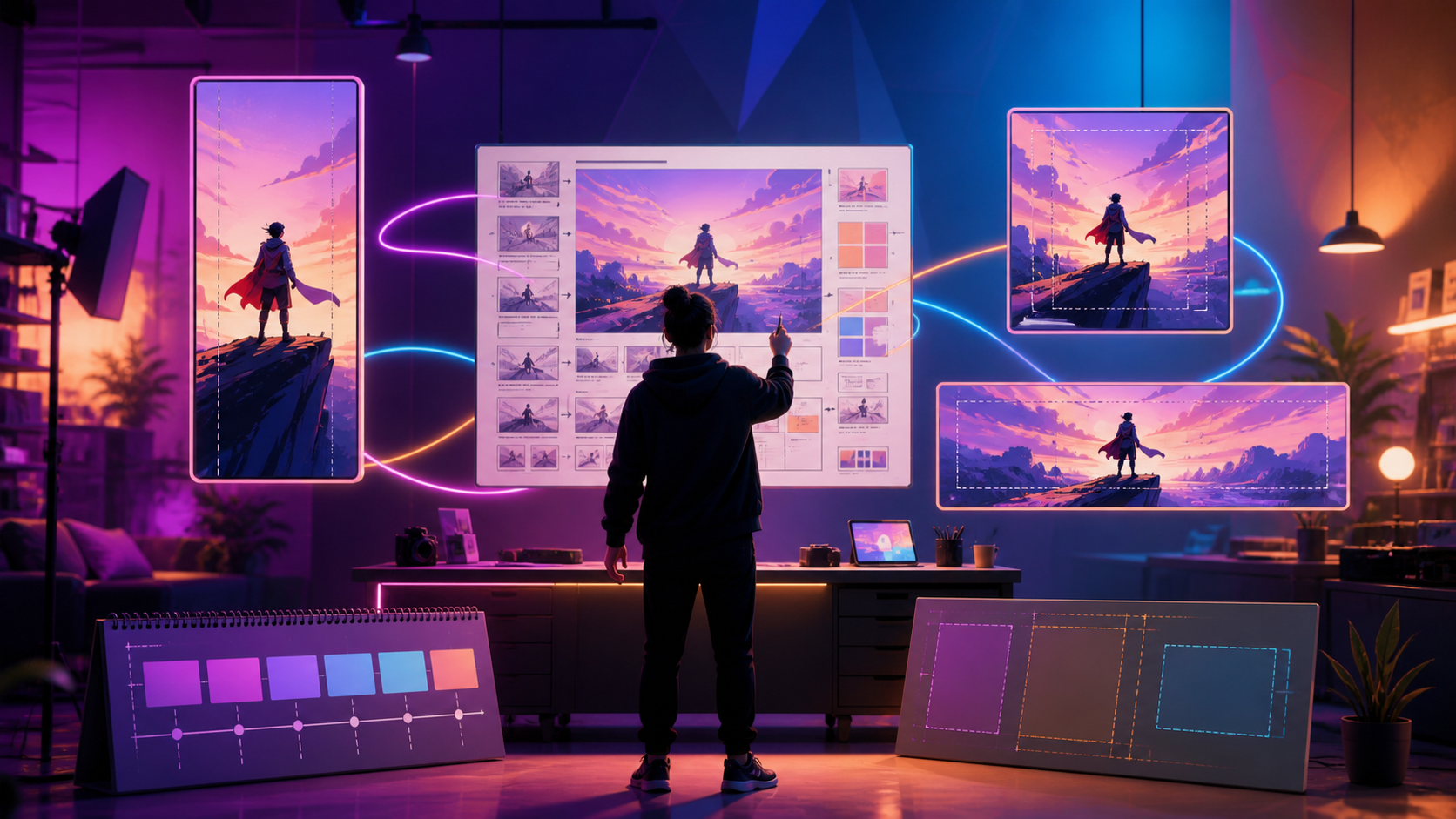
When a selected model does not provide the exact vertical setting you need, compose the source with safe space and crop the approved output to 9:16 during editing. Preview captions and interface overlays before publishing. A polished Reel still needs a strong opening; visual consistency should support the hook, not delay it.
Memes: Generate the Setup and Punchline Separately
Video memes are timing problems as much as generation problems. Define the familiar situation, the point where expectations change, and the reaction that completes the joke. Generate those beats as separate shots so the pause before the payoff can be controlled in the edit.
Leave clean negative space for the final caption instead of asking the model to render readable meme text inside the scene. For remixes, use only footage and likenesses you are authorized to transform. The best reusable meme format has a stable visual structure but enough room to swap the premise, reaction, or caption for a new audience.
Marketers: Turn One Concept Into a Controlled Test Matrix
Marketers can use AI generation to prototype product demonstrations, campaign worlds, visual metaphors, and ad hooks without treating every output as a finished asset. Begin with one approved base concept, then create a small matrix of controlled variants:
- Hook: question, transformation, unexpected result, or problem statement.
- Visual: product shot, generated scene, creator-led frame, or stylized demonstration.
- Message: one benefit, proof point, or use case.
- Call to action: learn, compare, try, or create.
Change one major variable at a time. If every shot, message, color, and CTA changes together, the result cannot tell you what improved performance. Reference images help maintain a consistent product and campaign look, while image-to-video can extend the useful life of approved still assets.
Short-Form Workflows for Adult Creators
The production method is the same—plan, generate in short passes, review, and edit—but asset control matters more. Use only material involving consenting adults, confirm rights to every source image or clip, and avoid unauthorized likenesses. Before uploading sensitive assets, review the current privacy, storage, and retention terms of the service you use.
For character-driven or mature narratives, create a small shot list and use approved reference assets to preserve continuity. Keep source files, prompts, and outputs organized so you can identify which material is cleared for which publishing destination.
A Repeatable Production Workflow
1. Define One Publishable Outcome
Choose one deliverable: a hook-led TikTok, a polished Reel, a meme, a product demonstration, an ad variant, or a short narrative. Write the intended viewer response in one sentence.
2. Prepare and Verify Inputs
Collect the prompt, script, storyboard frames, reference images, product assets, and authorized source footage. Confirm permissions before generation, especially for faces, private media, intellectual property, and commercial campaigns.
3. Generate a Small Test Batch
Create short candidate shots before a full batch. Compare motion quality, subject consistency, framing, and how well the scene survives a vertical crop. A short test also gives a realistic estimate of iteration time and usage cost.
4. Select Before You Polish
Reject clips with continuity errors, distracting motion, weak framing, or an unclear focal point. Do not spend editing time on a generation that does not communicate the core idea.
5. Assemble the Platform Version
Combine the approved shots in a conventional editor. Add captions, audio, overlays, product information, and a call to action. Make separate exports when TikTok, Reels, organic feeds, and paid placements require different pacing or safe areas.
6. Review the Final Clip
Check motion, visual continuity, caption readability, audio, aspect ratio, pacing, permissions, and platform fit. Watch once without sound and once at full speed on a phone-sized screen.
7. Save the Recipe
Archive the creative brief, prompts, assets, model settings, edit decisions, and final export. Reuse the structure—not just the exact video—when a format performs well.
Budget for Accepted Outputs, Not Just Generations
AI video costs depend on the selected model, duration, resolution, and number of attempts. Estimate a campaign with a test batch first, then track how many generations produce an accepted shot. The useful planning metric is the cost per approved, publishable clip rather than the advertised cost of a single attempt.
Review current options on the VideoAny pricing page before scheduling a large batch. Keep experimental hooks separate from production-ready variants so exploration does not consume the entire campaign budget.
Cross-Platform Publishing Checklist
Before publishing, confirm that:
- the first frame and opening action communicate the idea quickly;
- the main subject remains visible in the intended crop;
- captions fit inside the platform-safe composition;
- music, voice, and effects do not hide the message;
- product claims and calls to action match the destination page;
- every person, source asset, and brand element is authorized;
- the clip still makes sense without audio;
- the final export has been reviewed on a phone-sized screen.
Frequently Asked Questions
Can one AI-generated video be posted unchanged on TikTok and Instagram Reels?
It can, but a shared master is more useful than a single universal export. Keep the approved visual shots, then adjust the opening pace, captions, safe areas, audio, cover frame, and CTA for each destination.
What is the best aspect ratio for TikTok, Reels, and short-form video?
Vertical 9:16 is the common delivery format for TikTok and Reels. Available generation ratios depend on the selected model, so use safe framing and crop during editing when necessary. Keep a landscape or square master only when another placement requires it.
Should I use text-to-video or image-to-video for social content?
Use text-to-video when the idea begins as a new scene. Use image-to-video when you already have an approved product shot, character, illustration, or campaign visual whose identity should carry into the motion.
How should I make an AI video meme?
Write the setup and payoff first, generate them as separate shots, and control the comedic pause in editing. Leave space for captions rather than relying on generated text inside the video.
How can marketers create useful ad variations?
Start with one approved base concept and vary a single major element—such as the hook, visual, message, or CTA—per test. This keeps the results interpretable and makes successful variations easier to reproduce.
Can this workflow support mature-themed short-form content?
Yes, when the material is lawful, involves consenting adults, uses authorized assets, and complies with the destination platform's current rules. Review privacy and retention terms before uploading sensitive source media.
Can a solo creator use this process?
Yes. Start with one repeatable format and a small asset list. Generate short segments, keep a simple edit template, and document the settings behind every approved clip.
Start Creating Cross-Platform AI Video
The strongest short-form workflow separates what should stay consistent from what should change. Keep the creative brief, approved source assets, and core visual idea stable; adapt the hook, pacing, captions, framing, and CTA to TikTok, Instagram Reels, memes, organic marketing, or paid campaigns.
Explore VideoAny, or start with Text-to-Video and Image-to-Video for your next short-form project.