Categories: AI Video Workflow, Creator Strategy, Production Process
Tags: videoany, ai image prompts, funny face effects, meme content, creator toolkit
Introduction
Ugly face prompts work best when they are treated as comedy direction, not as insults. This guide is built around 25 copy-and-paste ideas for exaggerated selfies, meme faces, ugly crying reactions, big-nose distortions, puffy cheeks, cartoon proportions, TikTok-style filters, and ugly-to-pretty contrast edits. This version keeps that practical prompt-library structure while making the workflow safer and more useful for VideoAny creators.
The goal is to make a face look funny, expressive, and shareable while keeping the person recognizable and avoiding cruel edits. Use your own photos, get consent before editing someone else, and steer the final asset toward playful reactions, thumbnails, stickers, or short meme clips.
Quick Visual Reference
What Is an Ugly Face Prompt?
An ugly face prompt is a text instruction that tells an AI image tool which facial features, expression, camera distortion, or meme style to exaggerate. A weak prompt says "make this ugly." A useful prompt says what should change: cheeks, nose, mouth, eyes, angle, lighting, emotion, and whether the original identity should remain visible.
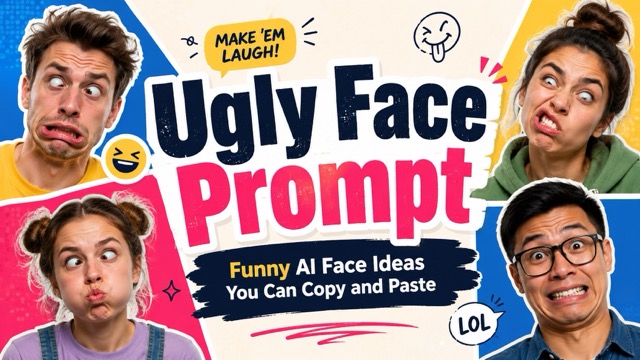
For VideoAny workflows, this matters because the still image often becomes a short animated reaction. If the prompt is too vague, the face may become unrecognizable and the video loses its joke. If the prompt is specific, the edit stays controllable enough for repeatable social formats.
25 Funny Face Prompt Ideas
Use these as starting points and swap in your own subject, emotion, or platform style:
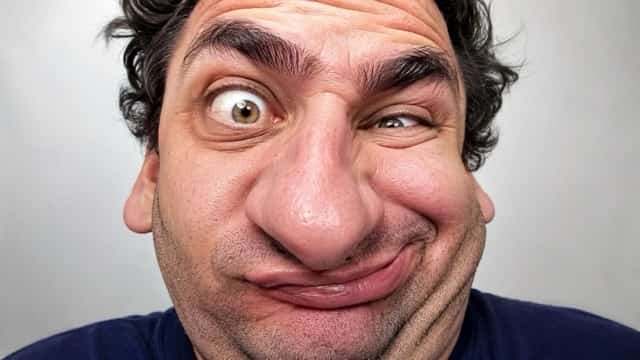
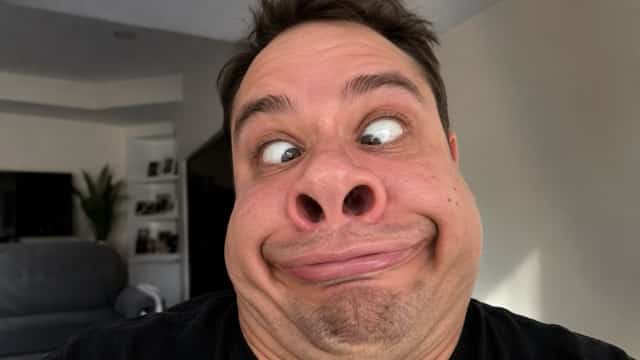
- Turn this portrait into a playful meme face with a stretched smile, puffy cheeks, tiny uneven eyes, and a harmless confused expression.
- Apply a viral short-video face warp with an oversized nose, rounded forehead, squished chin, and exaggerated surprised eyes.
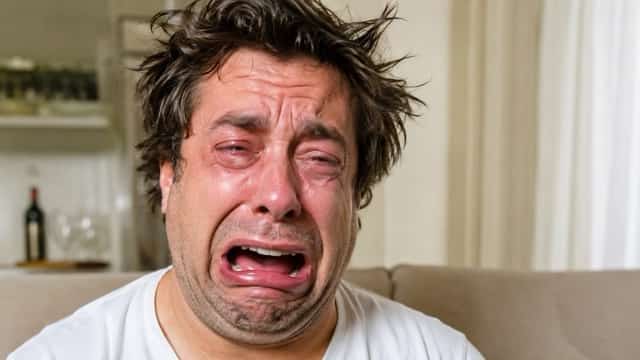
- Create a funny ugly crying reaction face with watery eyes, dramatic eyebrows, a wide open mouth, and chaotic meme energy.
- Make the subject look like a cartoon villain caught off guard: crooked grin, big ears, arched brows, and rubbery proportions.
- Transform this selfie into a bad front-camera angle with shiny forehead, awkward smile, and intentionally unflattering perspective.
- Create a cute ugly face, not scary: round cheeks, tiny mouth, raised brows, and a goofy expression.
- Add a Snapchat-style silly filter with a stretched mouth, crossed eyes, and oversized nostrils.
- Make a low-resolution internet meme face with distorted pixels, awkward proportions, and a chaotic caption-ready expression.
- Build an ugly-to-pretty split comparison where the left side is exaggerated and the right side is clean, natural, and flattering.
- Convert the person into a colorful cartoon ugly face while preserving hairstyle, clothing, and overall identity.
How to Use These Prompts
Start with a clear, well-lit photo. The copy-and-paste format is useful, but copy-and-paste use, but the most consistent results come from editing one variable at a time. If you ask for a giant nose, puffy cheeks, crossed eyes, bad lighting, cartoon style, and a crying expression all at once, the model may overcorrect. Pick a central joke first.
For example:
Edit this portrait into a playful meme reaction face. Keep the person recognizable. Exaggerate the cheeks and smile, make the eyes slightly uneven, add a harmless surprised expression, and keep the style bright and social-media friendly.When the still image works, bring it into VideoAny as the visual anchor for a quick reaction clip, transformation reveal, or before/after short.
Tips for Better Ugly Face AI Results
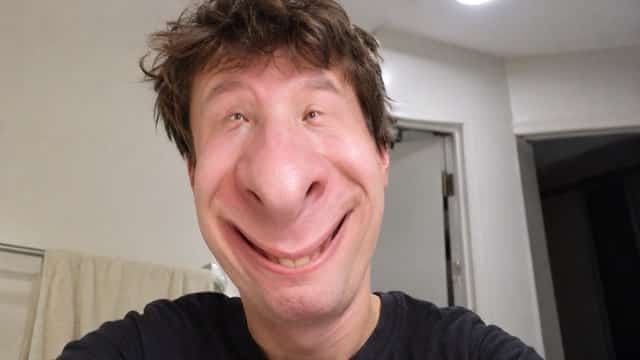
The strongest funny-face edits usually include four controls: identity, exaggeration level, mood, and output use. "Keep the person recognizable" protects the original face. "Playful, not mean" protects the tone. "Meme-ready" tells the model the image should read quickly. "Suitable for social media" keeps the result cleaner and less grotesque.
Avoid prompts that attack protected traits, make a real person look diseased, or create humiliating edits without consent. The best ugly-face content is absurd and self-aware; it should feel like a filter, not a personal attack.
Reusable Template
Turn this photo into a funny [platform/style] face effect. Keep the person recognizable. Exaggerate [feature 1], [feature 2], and [feature 3]. Add a [emotion] expression. Make the result playful, bright, and suitable for a meme or short reaction video.Examples of style slots: TikTok filter, Snapchat lens, cartoon meme, ugly crying reaction, low-quality internet meme, cute goofy face, before-and-after transformation.
VideoAny Workflow
- Generate the still face edit first.
- Choose the version that reads clearly at thumbnail size.
- Use VideoAny to animate a short reaction, zoom, head turn, or transformation reveal.
- Keep the clip short; funny face content works best as a quick punchline.
- Save the prompt structure so future meme formats stay consistent.
Conclusion
Ugly face prompts are most useful when they are specific, consent-aware, and clearly comedic. Use this prompt-list logic as a library: choose the facial distortion, define the emotion, preserve recognizability, and then turn the best still into a short VideoAny clip.
Next Step
Explore VideoAny image-to-video workflows: https://videoany.io
FAQs
1) Can I use these prompts on real people?
Only use photos you own or have permission to edit. Keep the result playful rather than humiliating.
2) Why do some ugly face edits look too extreme?
The prompt is usually overloaded. Reduce the number of exaggerated features and add "keep the person recognizable."
3) Can these prompts become videos?
Yes. Generate the strongest still first, then use VideoAny to create a short reaction, reveal, or meme clip.