Categories: Content Strategy, AI Video Workflow, Creator Operations
Tags: scale content creation, content operations, AI content workflow, content engine, video production, VideoAny
Introduction
Scaling content creation is not just publishing more. More channels, more posts, and faster deadlines can increase reach, but they also expose weak handoffs. A team that relies on memory, chat threads, and last-minute fixes does not become efficient at scale. It becomes harder to manage.
The better question is: how do you build a content engine that can produce articles, email, social assets, and video without chaos?
Start With Strategy
Most content systems break before production begins. They break because every request enters the queue with the same priority.
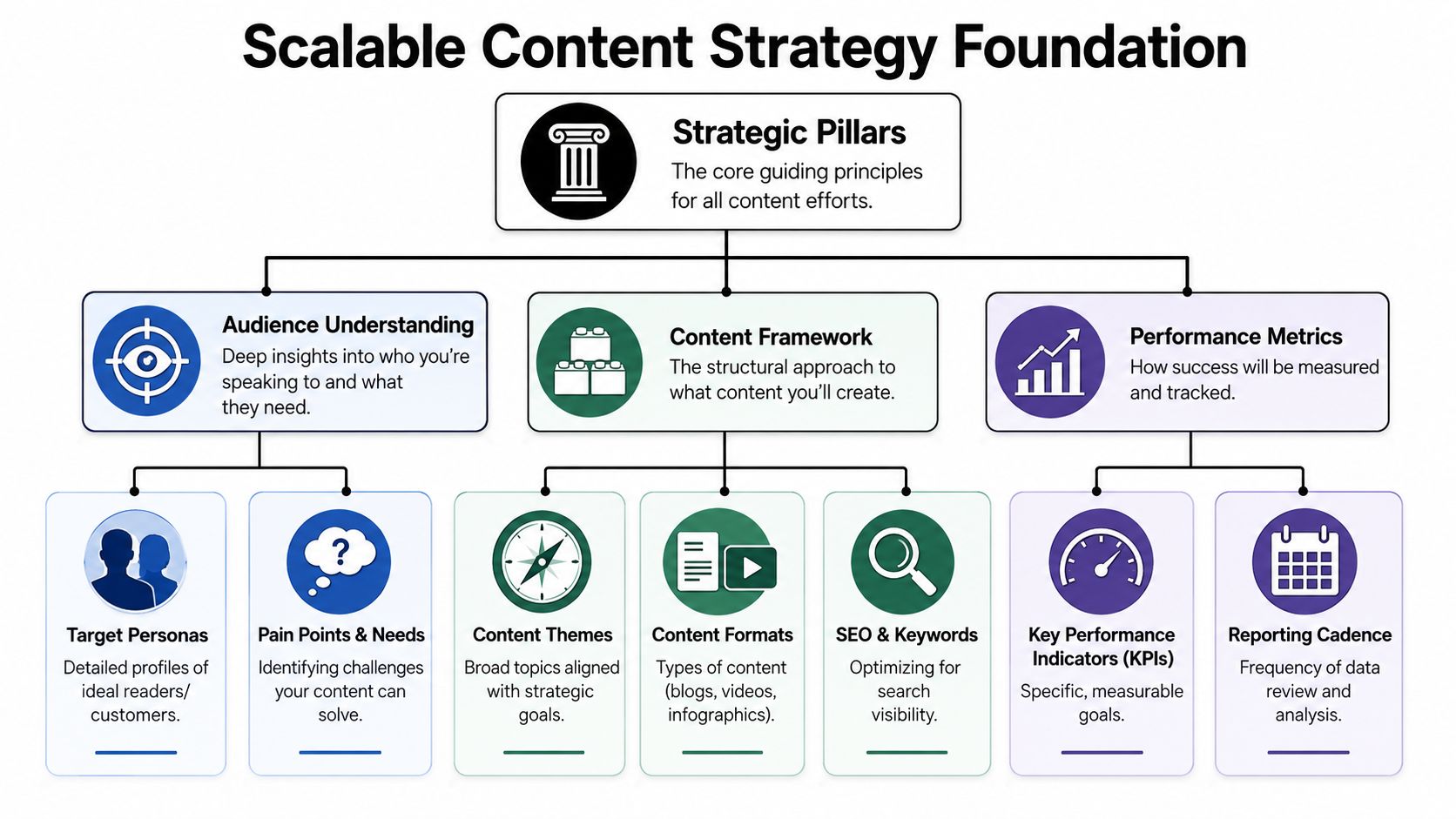
Before increasing volume, decide:
- which audiences matter most
- which business goals content supports
- which themes deserve repeated investment
- which formats should not be scaled
- which channels deserve consistency
Scaling includes saying no. Not every internal request deserves a place on the calendar. Not every platform needs weekly output. Not every format creates enough value to justify the workflow.
Build Useful Personas and Themes
Many persona documents look polished but do not help creators make decisions. A scalable persona should be short enough to use inside a brief.
Include:
- primary job to be done
- pain points
- decision context
- preferred formats
- common objections
Then organize content around durable themes, not random topics.
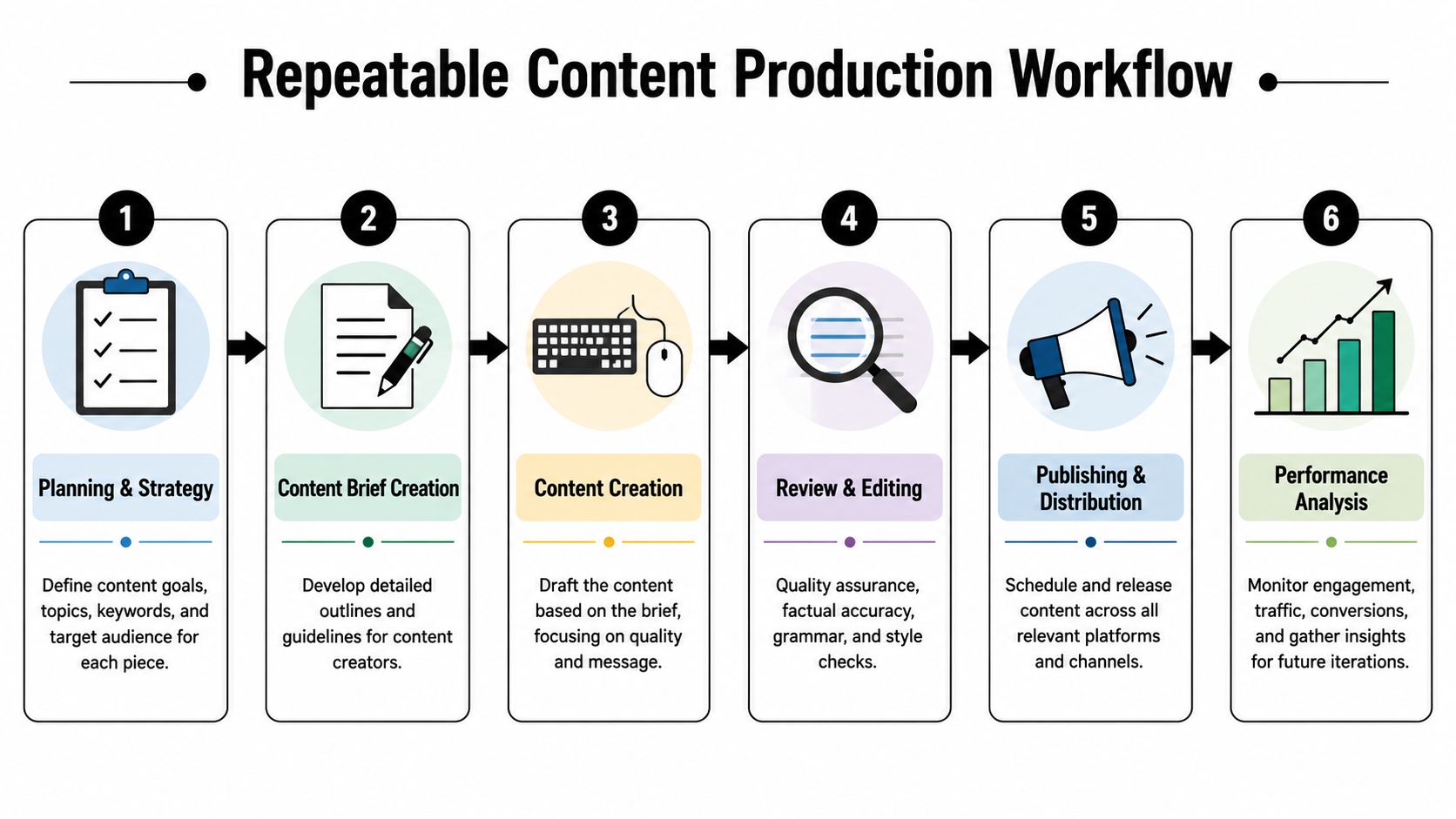
For example, a theme such as "AI video production" can produce a pillar guide, comparison article, short video, social carousel, email, and product use-case page. Themes reduce decision fatigue and make repurposing easier.
Build Around Functions, Not Titles
A scalable content operation is built around functions first:
- Strategy
- Creation
- Editorial review
- Production and packaging
- Distribution and maintenance

One person can cover more than one function on a small team. The important part is decision ownership. If two people think they own the same decision, work slows down. If no one owns it, the work drifts.
Keep brand, positioning, and final editorial judgment close to the core team. Use freelancers or specialists for execution-heavy or variable work. Hybrid models scale well when briefs and review rules are already clear.
Create One Source of Truth
If deadlines live in one tool, briefs in another, comments in email, and status in chat, the system is leaking time.
Every asset should have one operational record:
- owner
- audience
- objective
- brief
- status
- due date
- reviewer
- distribution plan
- final asset link
The tool can be Notion, Airtable, Asana, ClickUp, Trello, or something else. The discipline matters more than the platform.
Make Briefs Clear
A weak brief creates expensive downstream work. The draft misses the angle, editing gets heavier, stakeholders add late changes, and distribution teams rewrite the asset after the fact.
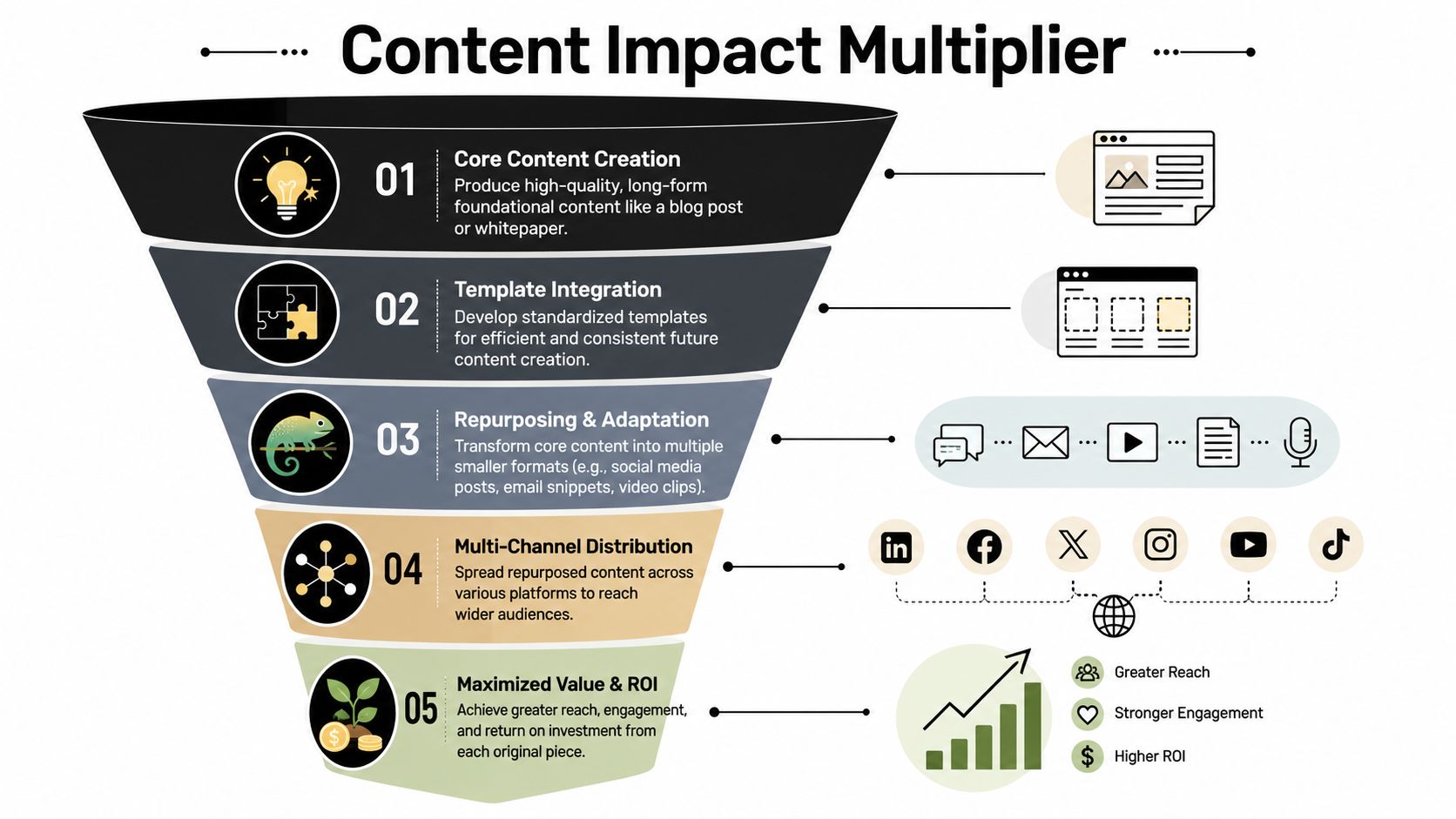
A scalable brief should answer:
- what the asset should achieve
- who it is for
- what angle it takes
- what proof is needed
- what format it will become
- what is out of scope
Do not stuff the brief with everything you know. Put in what the creator needs to make the right asset without guessing.
Standardize Workflow Stages
"In progress" is not enough. Use stages with clear entry and exit rules:
- Briefing
- Drafting
- Editorial review
- Subject matter review
- Production
- Approval
- Distribution
- Maintenance
Separate review types. Subject matter review is different from brand review. Brand review is different from proofreading. If every reviewer edits everything, the process slows down.
Use AI Where It Removes Friction
AI does not fix a weak content operation. It exposes it. Use AI for frequent, structured tasks.
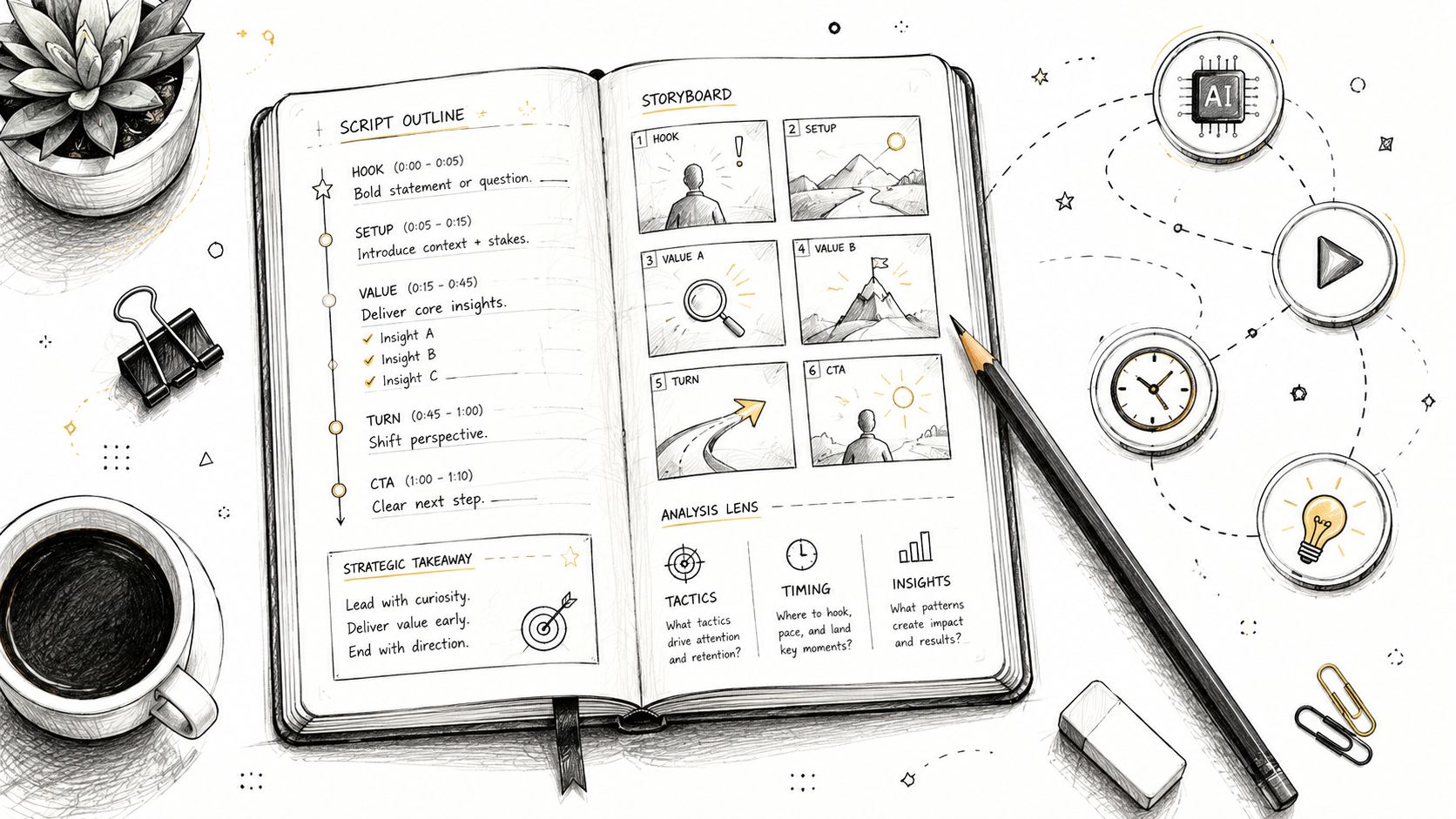
Good use cases:
- headline exploration
- outline generation
- first drafts for repeatable formats
- social variants
- email summaries
- video script drafts
- repurposing pillar assets
- workflow reminders
Keep human judgment on positioning, trust-sensitive claims, legal risk, and final editorial quality.
Treat Video Like a Workflow
Video is often the biggest scaling gap. Teams may publish written content weekly but struggle to produce short-form video because the process is still one-off.
Video needs the same structure:
- approved message
- script type
- visual direction
- owner
- source assets
- prompt record
- approval path
- final export format
VideoAny can help teams turn approved prompts or static images into video assets, but the real value comes when video generation lives inside a controlled workflow.
Use Templates and Repurposing
The fastest way to burn out a team is to make every asset custom. Templates protect time without removing judgment.
Useful templates include how-to posts, comparison posts, video scripts, social hooks, newsletter modules, launch posts, and refresh checklists.
A strong pillar asset should become a content tree: a short video, email, carousel, social posts, comparison snippet, and sales enablement asset. Each derivative should have one clear purpose.
Measure the System
Track both efficiency and effectiveness:
- output volume
- cycle time
- rework
- missed deadlines
- content performance
- repurposing rate
- refresh health
If output rises but rework rises too, the system is not scaling. If quality improves but nothing ships, the process is too heavy.
Conclusion
Content scale is an operating system problem. Build strategy before volume. Define ownership. Standardize briefs and workflow. Use AI where it removes repeatable friction. Treat video like a real production lane. Repurpose from strong pillar assets.
That is how content creation scales without chaos.
Next Step
Add AI video to your content workflow with VideoAny.
FAQs
1) What is the biggest scaling mistake?
Increasing output before fixing strategy, ownership, briefs, and review rules.
2) Where should AI fit?
Use AI for structured production support, not final judgment.
3) Why do templates matter?
They reduce repeated decisions and keep output consistent.