Categories: AI Video Workflow, Creator Strategy, Production Process
Tags: videoany, ai face rater, face rating ai, profile photo, creator toolkit
Introduction
This guide explains why people are curious about free AI face rater tools, what those tools appear to measure, and how to interpret the score without taking it too seriously. This version keeps that walkthrough but makes the boundary explicit: an AI face rating is image feedback and entertainment, not a measure of personal worth.
Used well, a face rater can help you compare lighting, framing, expression, sharpness, and presentation. Used poorly, it becomes a meaningless number. Treat the result as a signal about the photo, not a verdict about the person.
Quick Visual Reference
Why AI Face Raters Are So Clickable
There is a simple reason these tools spread: people want to know how an algorithm reacts to their photo. That curiosity is easy to understand. A "rate my face AI" flow is fast, personal, and easy to repeat. That makes it useful for profile photos, creator avatars, thumbnails, and before/after tests.
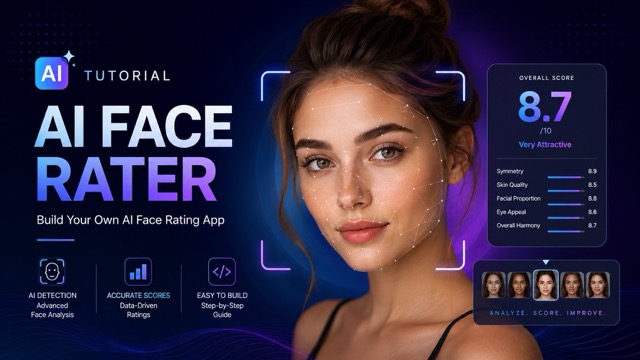
The important part is context. A score can change when lighting changes, when the camera angle shifts, or when the crop becomes cleaner. That means the tool is often judging image conditions as much as facial structure.
What an AI Face Rater Measures
Most tools analyze visible cues: symmetry, landmark spacing, face orientation, expression, lighting, skin visibility, sharpness, and whether the face is unobstructed. A straight-on photo in natural light will usually produce a cleaner read than a shadowy side profile.
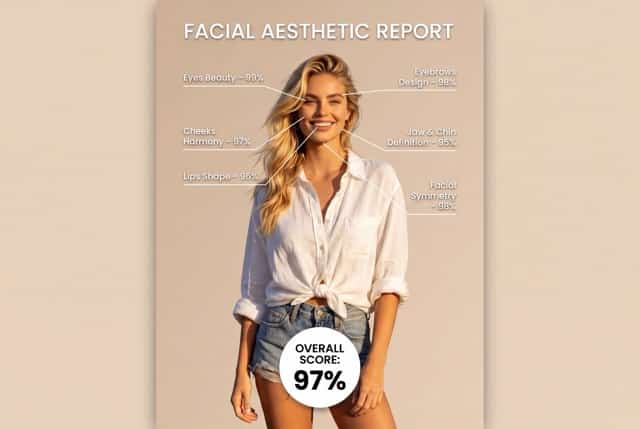
This is why the same person can receive different outputs from different photos. The model is not seeing your whole identity; it is evaluating the pixels you provide. For creators, that is good news. You can improve the input by changing the shot.
How to Use the Tool
The workflow is simple: go to the tool, upload a clear image, let the AI analyze, read the score breakdown, and try again with different photos. Keep that process, but make every rerun purposeful.
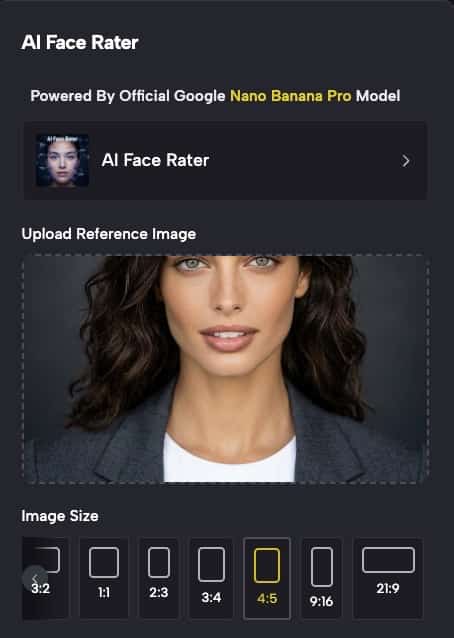
Use this workflow:
- Upload one clear, front-facing photo.
- Save the score and notes as your baseline.
- Upload a second version with better light.
- Upload a third version with a different expression.
- Compare which factor changes the output most.
Before You Rate Your Face
Use a photo you are comfortable analyzing. Avoid extreme filters, heavy shadows, sunglasses, motion blur, or cropped foreheads. If you are testing a profile picture, choose an image that looks like the way you actually want to present yourself.
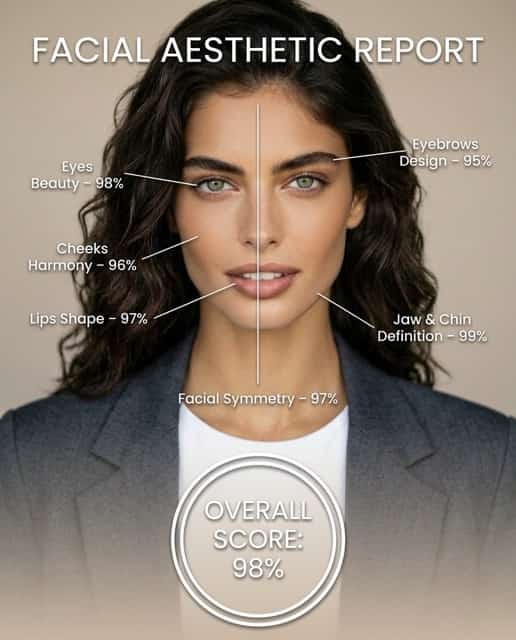
Do not chase a perfect number. A polished creator headshot, a character reference, and a casual selfie have different goals. The best result is the image that fits your use case.
Why Use VideoAny in This Workflow
VideoAny is useful when the face-rating process is part of a larger creative pipeline: avatar tests, character presentation, profile videos, or thumbnail experiments. Once you identify the strongest still image, you can animate it, create a short introduction, or build a more consistent visual identity.
Practical Workflow
- Test the original image.
- Improve only one variable: lighting, expression, crop, or angle.
- Compare the breakdown, not just the score.
- Pick the strongest image for the intended platform.
- Use VideoAny to turn the best image into a short profile or avatar clip.
Conclusion
An AI face rater is most valuable when it helps you improve a photo. It can show how lighting, angle, and clarity affect algorithmic perception, but it should never define self-image. Use it as a lightweight creative tool, then apply the best still in VideoAny when you need motion.
Next Step
Explore VideoAny creator workflows: https://videoany.io
FAQs
1) Is an AI face rating objective?
No. It reflects one model's interpretation of one image under specific conditions.
2) What photo works best?
A clear, front-facing image with even light and a natural expression usually gives the most stable result.
3) Can I test multiple images?
Yes. Testing multiple images is the best way to see whether lighting, crop, or expression affects the result.