AI Tesla Roadster
Press a cockpit button in a futuristic sports car, then make a short lift above the traffic.
Choose a waist-up photo with a clear face and visible hands if possible. The scene centers on the button press and a short lift, with a sci-fi car setting.
568 credits per 5-second video
External visual references, not VideoAny-generated results. They illustrate the setting or style; the generated 5-second clip may differ.
Explore the futuristic car setting
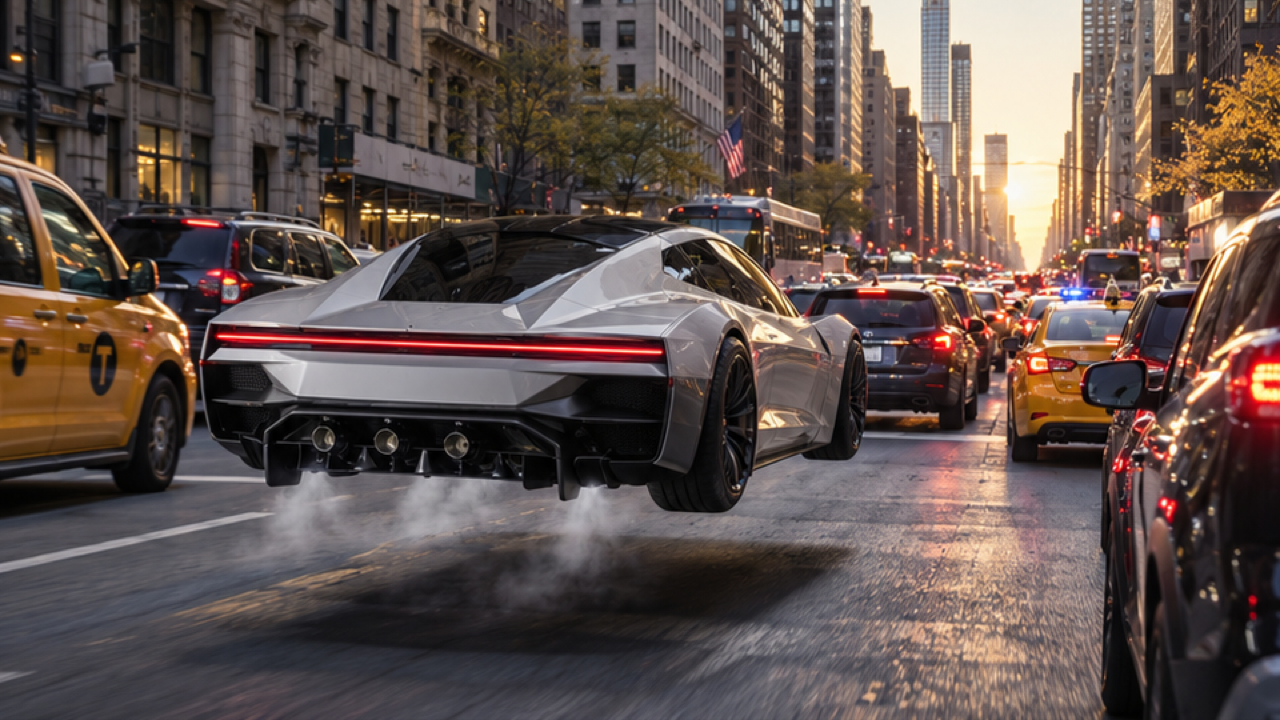
These external references show a hovering sports car and a cabin poster. The poster retains its original caption as part of the source image.
Hovering sports-car reference
A futuristic silver-white sports car hovers a short distance above city traffic, with vapor and a shadow underneath.
Dreamina ↗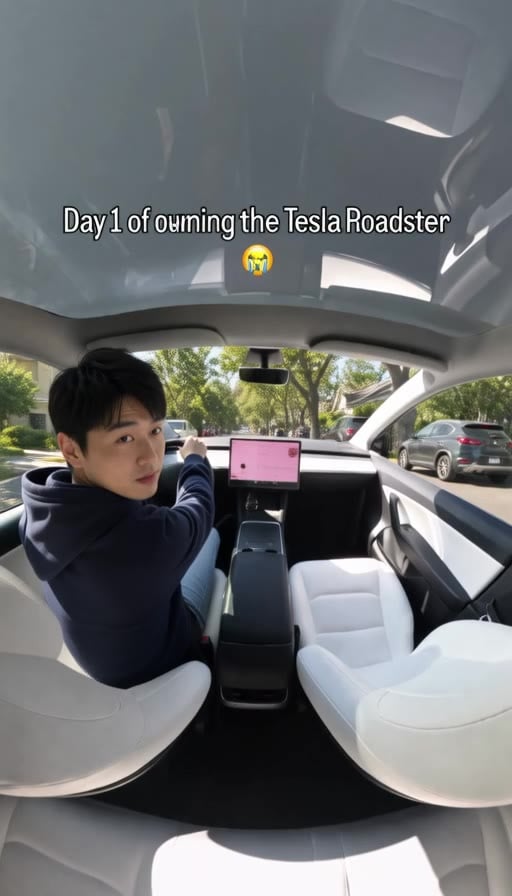
Cabin trend-poster reference
A seated driver looks back inside a white car cabin. This external trend poster includes the caption from the original image.
GoEnhance ↗External visual references, not VideoAny-generated results. They illustrate the setting or style; the generated 5-second clip may differ.
Upload your photo
Choose one waist-up portrait of one person. A clear face and unobstructed upper body work well for the cockpit framing.
Generate your video
Sign in, check that you have 568 credits and select Generate. Allow several minutes for the 5-second video.
Preview and download
Check the button gesture and short lift-off, then download the 5-second clip.
AI Tesla Roadster FAQ
The prompt puts the person from your photo in a futuristic sports-car cockpit, pressing a button before a short lift above traffic. It is a compact fictional flying-car moment.
No. This is an independent effect inspired by a flying-car trend, with no affiliation to or endorsement by Tesla.
The prompt uses your face, hair and upper-body outfit as references for the driver. AI may restyle or change details when composing the cockpit and motion.
Each generation costs 568 credits. You need at least 568 credits in your account to start.
No. The clip is silent. You can add sound after downloading.
Blurred images, complex poses, content checks or temporary service issues can affect generation. AI may alter facial details, clothing and motion. If progress cannot be checked, review your generation history before starting again.
One photo is used for image-to-video generation with Seedance 2.5: 5 seconds, 720p, 568 credits, no audio. The aspect ratio follows the source photo. Generation can take several minutes; 5 seconds is the clip length.
Ready to create your next release?
Upgrade for faster queues, higher resolutions, and expanded usage options.