AI Moonwalk Dance
Turn one photo into a playful moonwalk: the person in your photo glides backward with smooth heel-toe footwork while keeping their face, outfit and setting.
Use a full-body photo with both shoes visible and open floor space behind the person. The clip is silent; add your own music before posting.
568 credits per 5-second video
External scene references, not VideoAny-generated results. Your 5-second clip may differ.
Explore the moonwalk setup
Use these external references for full-body framing, visible shoes and clear floor space for the dance.
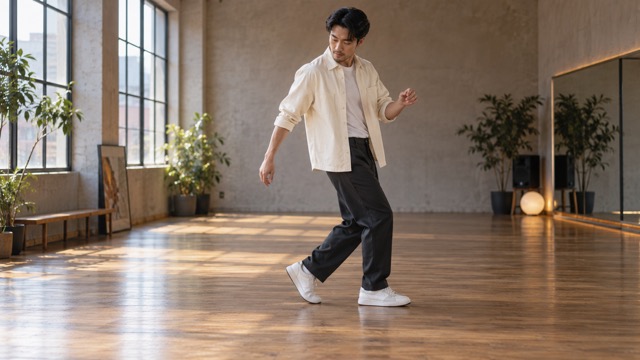
Full-body dance framing
A side-on full-body view keeps both shoes and the floor visible, with room around the dancer.
SuperMaker ↗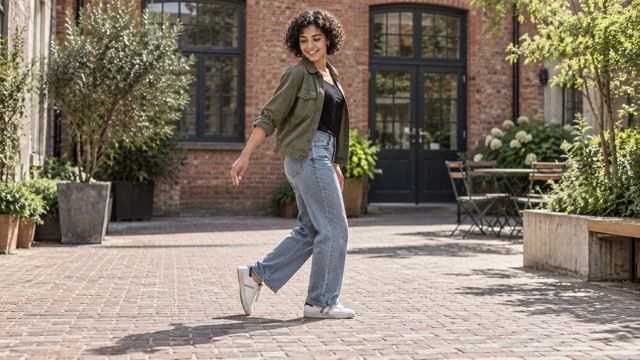
Heel lift and floor contact
Notice the raised heel on one shoe and the other shoe resting flat on the ground.
SuperMaker ↗External scene references, not VideoAny-generated results. Your 5-second clip may differ.
Upload your photo
Choose a clear full-body photo of one person with their face, both shoes and some open floor visible.
Generate your video
Sign in and check that you have 568 credits. Select Generate to start your 5-second clip.
Preview and download
When the video is ready, watch the result and download it. Faces, motion and backgrounds can vary.
AI Moonwalk Dance FAQ
A photo-to-video effect: the person from your photo performs two alternating backward moonwalk glides, keeps a relaxed upright posture and finishes in a balanced pose. The effect aims to preserve their recognizable face, outfit and setting.
A sharp full-body photo of one person with a clear face, both shoes visible and open floor space behind them. Close-ups and half-body crops hide the feet and are less suitable for this dance.
No. The generated clip is silent. Add licensed music in TikTok, Reels or CapCut. The effect is inspired by the dance style, not a specific song or performance.
Each generation requires 568 credits. If you have fewer than 568 credits, add credits to continue.
No. Your photo supplies the person and setting. The effect adds moonwalk-style movement only and does not dress you as a famous performer.
Image quality, content checks and temporary service issues can affect generation. AI may change facial details or the background. If progress cannot be checked, review your generation history before starting another task.
Each generation uses Seedance 2.5 to create a 5-second, 720p video at 568 credits. Five seconds is the video length, not the generation time.
Ready to create your next release?
Upgrade for faster queues, higher resolutions, and expanded usage options.