Don't Wake My Baby
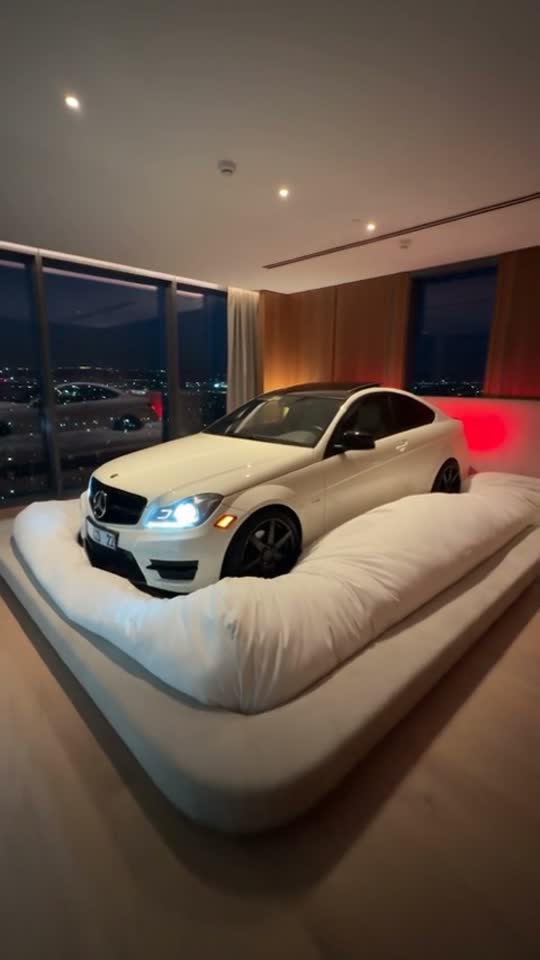
Tuck your car into an oversized bed for a sleepy scene: headlights stir, then a gentle pat settles it down.
Choose a sharp photo with the entire car and both headlights visible. A front or three-quarter angle helps the sleepy-car expression.
568 credits per 5-second video
External visual references, not VideoAny-generated results. They illustrate the setting or style; the generated 5-second clip may differ.
Explore the sleeping-car idea
These references pair the oversized-bed idea with a complete outdoor car photo. The outdoor image illustrates a suitable input angle.
Sleeping-car scene reference
A white coupe rests on an oversized soft bed in a warmly lit bedroom with city windows.
Talkpix ↗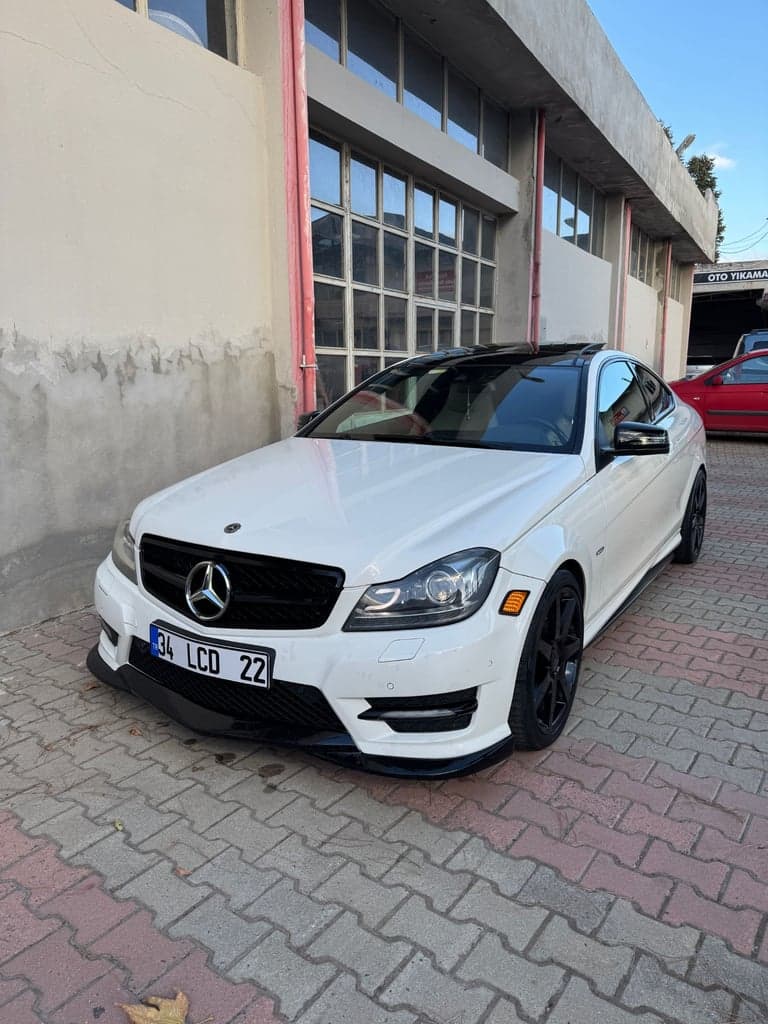
Car input-photo reference
A white coupe is photographed outdoors from the front three-quarter angle. This is an input-photo reference, not a generated result.
Talkpix ↗External visual references, not VideoAny-generated results. They illustrate the setting or style; the generated 5-second clip may differ.
Upload 1 car photo
Upload one photo of a single car with the entire vehicle visible, preferably from the front or a three-quarter angle.
Generate your video
Sign in, check that you have 568 credits and select Generate. Allow several minutes for the 5-second video.
Preview and download
Check the car shape, headlight movement, gentle rocking and bedding, then download the silent 5-second clip.
Don't Wake My Baby FAQ
The prompt places your car in an oversized bed under a duvet. Its headlights stir like sleepy eyes and the body rocks gently, before a soothing pat encourages it to settle back down.
No. Upload a photo of one complete car. The bed, duvet and soothing gesture are added to the scene by AI.
This effect is designed around a passenger car and its headlights. Use a clear car photo for the closest fit; other vehicle shapes may not suit the bed scene.
Each generation costs 568 credits. You need at least 568 credits in your account to start.
No. The output is silent. Add your chosen lullaby or sound in an editor after downloading.
Blurred images, cropped vehicles, content checks or temporary service issues can affect generation. AI may change the car shape, headlights, bedding or motion. If progress cannot be checked, review your generation history before starting again.
One photo is used for image-to-video generation with Seedance 2.5: 5 seconds, 720p, 568 credits, no audio. The aspect ratio follows the source photo. Generation can take several minutes; 5 seconds is the clip length.
Ready to create your next release?
Upgrade for faster queues, higher resolutions, and expanded usage options.