Burning Bridges
Step into the Burning Bridges trend with a chandelier-lit party entrance and a confident toast, created from one photo.
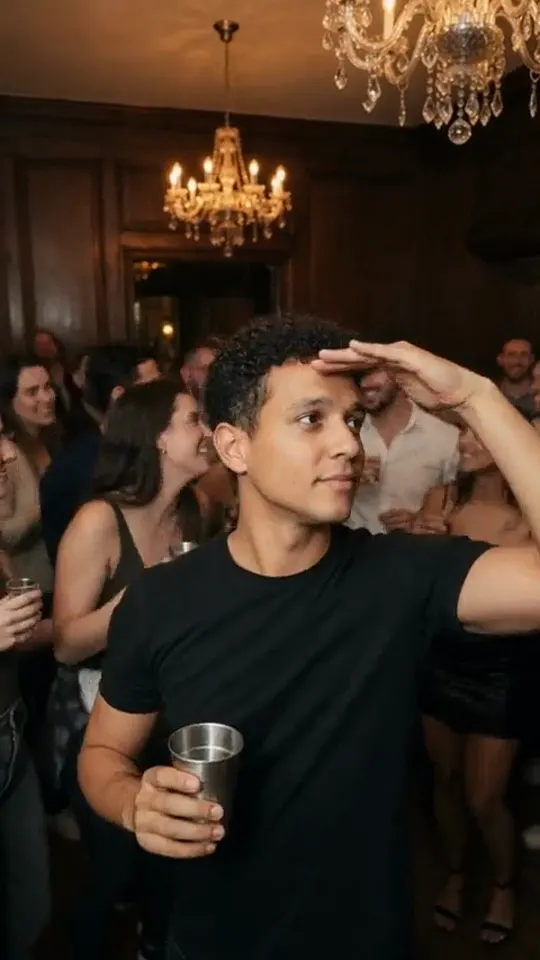
Choose a clear photo of one person with their upper body and hands visible. The effect creates a party setting; facial details, clothing and movement may change.
568 credits per 5-second video
External scene references, not VideoAny-generated results. Your 5-second clip may differ.
Explore the party look
Use these scene references to see the lighting, party setting and toast mood that inspire this effect.
Party entrance reference
Warm chandelier light and a lively party setting guide the scene.
burning-bridges.com ↗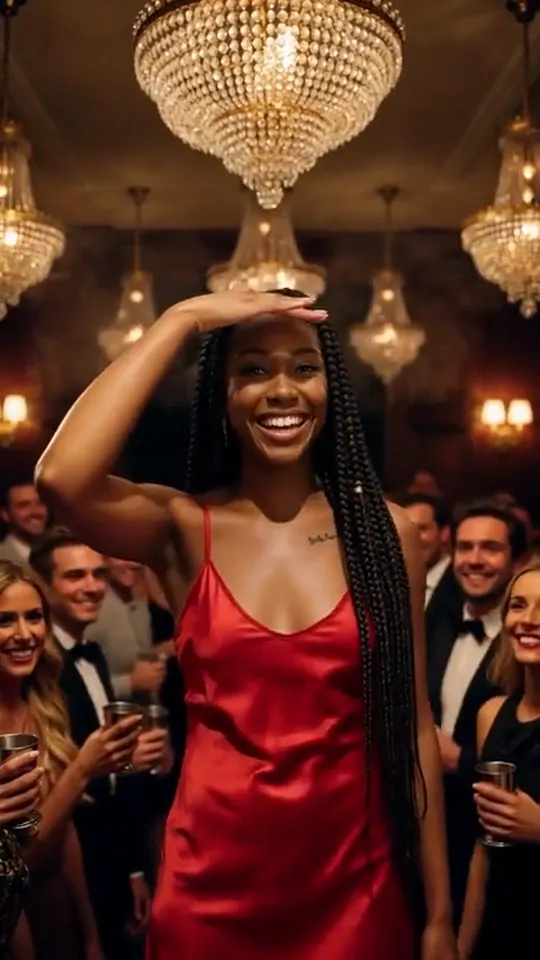
Party performance reference
Confident posing and warm crowd lighting inspire the performance style.
burning-bridges.com ↗External scene references, not VideoAny-generated results. Your 5-second clip may differ.
Upload your photo
Choose one clear photo with the person’s upper body and hands visible.
Generate your scene
Sign in and check that you have 568 credits. Select Generate to start your 5-second clip.
Preview and download
When the video is ready, watch the result and download it. Faces, motion and backgrounds can vary.
Burning Bridges FAQ
This effect is inspired by the party entrance and toast trend: the person from your photo enters a lively, chandelier-lit party and raises a glass. The fixed prompt creates a short cinematic moment.
Upload one clear photo of a person. Sign in, make sure your balance covers 568 credits, then click Generate. When the video is ready, preview and download it.
Use a sharp, well-lit photo of one person, ideally showing the upper or full body with visible hands. Avoid tight face crops, heavy blur and crowded group shots.
Each generation requires 568 credits. Check your balance before starting; if you have fewer than 568 credits, add credits to continue.
The effect creates a 5-second party entrance and toast. It does not promise a full choreography, an exact recreation of a reference video or the trend’s original soundtrack.
Image quality, content checks and temporary service issues can affect generation. AI may change facial details or the background. If progress cannot be checked, review your generation history before starting another task.
Each generation uses Seedance 2.5 to create a 5-second, 720p video at 568 credits. Five seconds is the video length; it is not a promise of generation time.
Ready to create your next release?
Upgrade for faster queues, higher resolutions, and expanded usage options.